

If you are searching for the Trezor Model T today, there is one thing you should know before comparing features: you can no longer buy it directly from Trezor. The Model T has been discontinued from Trezor’s official e-shop, though Trezor says it may still be available from official resellers for a limited time. Existing users are not being left behind either. Trezor says the Model T will continue receiving basic maintenance and new coin support until at least 2031, with critical security updates planned until at least 2036.
That makes this review less straightforward than it would have been a few years ago. The Trezor Model T is still a capable hardware wallet, but it is no longer the obvious premium Trezor model to buy today. Newer wallets like the Trezor Safe 5 and Safe 7 now sit higher in Trezor’s lineup, while the Safe 3 gives budget-focused users a cheaper current option.
Still, the Model T has enough going for it to deserve a proper look. It offers a color touchscreen, USB-C connection, Trezor Suite compatibility, on-device transaction confirmation, PIN and passphrase protection, and Advanced Multi-share Backup. Trezor also describes it as a cold storage wallet with open-source security and design, which remains one of the reasons many users prefer Trezor over more closed hardware wallet ecosystems.
So the question is not whether the Trezor Model T was a good wallet. It was. The better question is whether it still makes sense now, as a device to keep using, or as a discounted wallet to buy from a trusted reseller.
Investographer may earn a commission if you buy through links on this page, at no extra cost to you. This review is educational and should not be treated as financial, investment, or tax advice. For more information, read our full Affiliate Disclosure.
Quick Summary
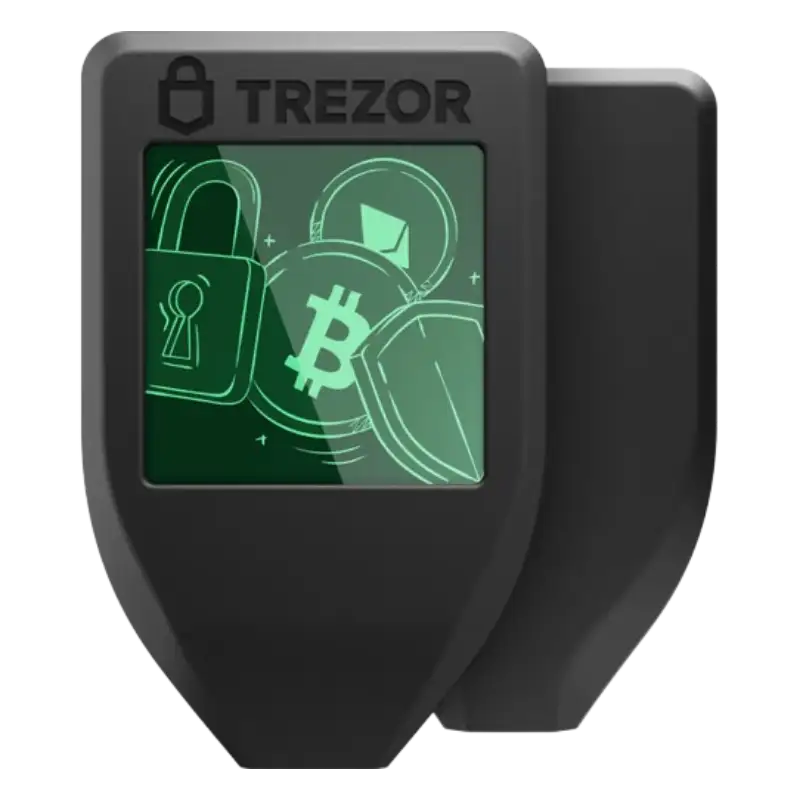
The Trezor Model T is still worth using if you already own one, especially if your device is working properly and your recovery backup is safe. The wallet remains supported for years, and its touchscreen still makes everyday actions like entering a PIN, confirming transactions, and using a passphrase easier than older button-only designs.
Buying one today needs more caution. Since Trezor no longer sells it directly, the Model T only makes sense if it comes from a trusted reseller, is sealed and unused, and costs meaningfully less than a newer Trezor Safe 5. If the price is close, the Safe 5 is usually the cleaner choice for most buyers.
| Factor | Trezor Model T Review |
|---|---|
| Current status | Discontinued from Trezor’s official e-shop |
| Still supported? | Yes, with basic maintenance and new coin support until at least 2031; critical security updates until at least 2036 |
| Can you still buy it? | Possibly from official resellers for a limited time |
| Best for | Existing owners or buyers who find trusted sealed stock at a good discount |
| Not ideal for | Buyers who want the newest Trezor hardware |
| Main strength | Touchscreen, Trezor Suite, open-source design, Advanced Multi-share Backup |
| Main weakness | No longer sold directly by Trezor |
| Better current Trezor option | Trezor Safe 5 |
| Budget Trezor option | Trezor Safe 3 |
| Premium Trezor option | Trezor Safe 7 |
| Buy used? | No, avoid used or already-initialized hardware wallets |
The Good
The Bad
Check Out The Best Crypto Backup Tools,
Cryptotag Zeus
Cryptotag Loki
Capsule Solo
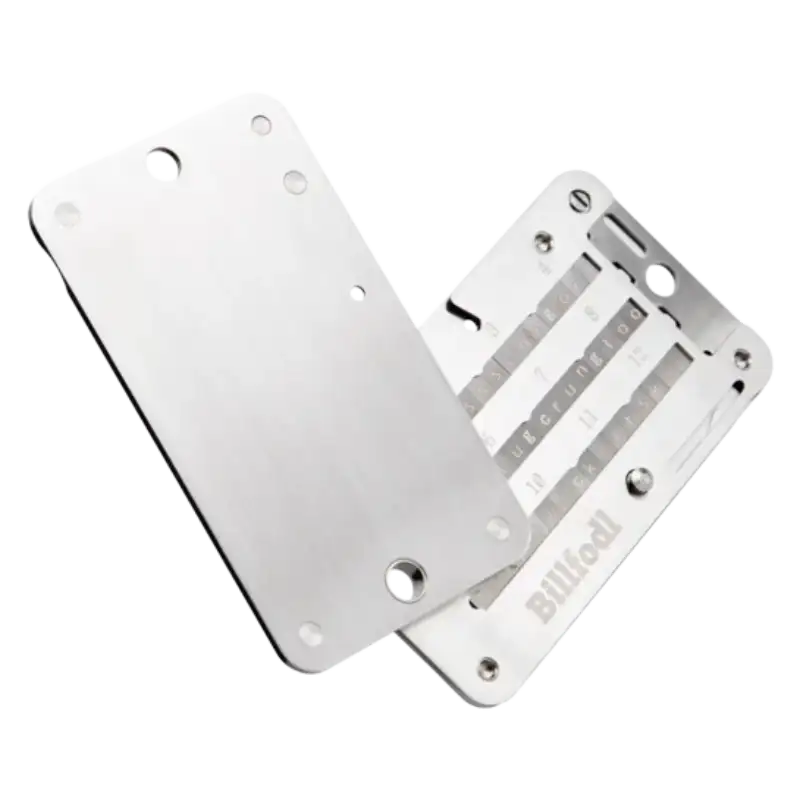
The Billfodl
Current Status: Discontinued but Still Supported
Trezor ended official e-shop sales for the Model T and Model One on January 8, 2026. The company says both devices remain safe to use and that there is no cause for concern as long as users have a valid wallet backup. Trezor also says the devices may remain available from official resellers for a limited time.
For Model T owners, the support timeline is the important part. Trezor says it will provide critical security updates for both Model T and Model One until at least 2036, basic maintenance until at least 2031, and new coin support for Model T until at least 2031.
This gives the Model T a useful second life as supported older hardware. It is not the main Trezor model to buy today, but it is not a wallet that existing users need to abandon. The smarter approach is to judge it by your situation: keep it if you already own it and the setup is secure; consider newer Trezor models if you are buying fresh.
Design and Build Quality
The Trezor Model T has a simple, compact design built around its color touchscreen. It does not look like a modern premium gadget, but that was never really the point. A hardware wallet is supposed to stay quiet, stay secure, and make important actions clear when money is moving.
The touchscreen is still the main design advantage. It makes PIN entry easier, helps when using a passphrase, and gives users a more direct way to confirm actions on the device. This is where the Model T feels meaningfully better than older button-only wallets, especially for people who do not want every small action to feel like clicking through a calculator.
The body is light and easy to store, with USB-C for connection. Trezor lists the Model T with a 1.54-inch color LCD touchscreen, 240 × 240 pixel resolution, USB-C, and microSD card support. These are not flashy specs today, but they are enough for the kind of wallet experience the Model T was built for.
Where the design feels older is when you compare it with the Trezor Safe 5. Safe 5 has a color touchscreen too, but adds haptic feedback, Gorilla Glass 3, Secure Element protection, and a more current finish. It feels more like the natural modern replacement for the Model T than just another model in the lineup.
Still, the Model T design has aged better than many older hardware wallets because of the touchscreen. It remains easy to understand, easy to store, and easy to use for basic cold storage. The design no longer feels premium in the current Trezor lineup, but it still feels practical.
Security Features
The Trezor Model T still carries the security identity that made Trezor popular in the first place: offline private key storage, open-source design, and confirmation on the device itself. It is built for people who do not want their crypto access sitting inside an exchange account, browser wallet, or everyday phone.
Its open-source approach is a major part of the appeal. Trezor has always leaned into transparency, while Ledger has usually leaned more toward a Secure Element-based model. That difference matters for buyers who care about how trust is created. With Trezor, the pitch has traditionally been that the wallet’s design and firmware can be reviewed publicly rather than treated like a sealed black box.
The Model T also gives users on-device entry for sensitive actions. Trezor describes this as entering details like a PIN, passphrase, or wallet backup directly on the Trezor screen instead of on a computer or phone, which helps keep that information away from malware on connected devices.
This is where the touchscreen becomes more than a comfort feature. Entering a PIN or passphrase on the device feels smoother than using a button-only wallet, but it also keeps the most sensitive input away from the keyboard. For users who plan to use a passphrase, the Model T is easier to live with than older designs.
The passphrase feature is useful, but it is not something to use casually. A passphrase can create an extra layer of protection on top of the wallet backup, but if you forget it, you may lose access to that wallet. This is one of those features that sounds simple until real money is involved.
The Model T also supports SLIP39 Multi-share Backup on firmware 2.7.2 or newer, according to Trezor’s SLIP39 guidance. That puts it alongside Trezor Safe 3, Safe 5, and Safe 7 for users who want a backup structure that can be split across multiple shares instead of relying on one recovery phrase in one place.
For most users, the normal security setup is enough: a clean device, a strong PIN, a safely stored recovery backup, and careful transaction confirmation. Multi-share Backup is more interesting for people storing a meaningful amount of crypto or planning for family/business recovery, but it also adds responsibility. A backup plan that is too clever can become its own risk.
The Model T’s security is still strong enough for serious cold storage. The main trade-off is that newer Trezor wallets now bring the brand’s more current security direction, including Secure Element protection on models like Safe 5. That does not make the Model T weak, but it does make the newer lineup more attractive for someone buying fresh today.
User Experience
The Model T is still a comfortable wallet to use if your crypto routine happens mostly on desktop. Trezor Suite keeps the experience simple: connect the wallet, check your portfolio, receive funds, send transactions, and confirm sensitive actions on the device. It does not feel overloaded, which is important for a wallet that many people may only use a few times a month.
The touchscreen helps the experience more than the size of the device suggests. PIN entry feels easier, passphrase typing is less frustrating than on button-only wallets, and transaction confirmation feels more direct because the final check happens on the wallet screen. For users coming from older hardware wallets, this is still one of the Model T’s strongest everyday advantages.
Trezor’s setup guide says the Model T can be set up in about 15 minutes, which feels reasonable if the user already understands recovery backups. The setup itself is not the hard part. The harder part is slowing down enough to write the backup correctly, store it safely, and avoid treating it like a normal password.
Where the Model T feels less current is mobile use. Trezor says all Trezor devices work with Android, while full iOS compatibility through Bluetooth is available on the Trezor Safe 7. For the Model T, Safe 5, Safe 3, and Model One, iOS compatibility is limited to features like portfolio tracking, buying, and receiving assets; signing other transactions requires Trezor Suite desktop.
That does not make the Model T difficult to use, but it does make it a better fit for desktop-first users than iPhone-first users. If you already manage your crypto from a laptop, the experience still feels clean and predictable. If you want a wallet that works naturally around an iPhone-only setup, the Model T is not the smoothest choice anymore.
Overall, the Model T experience has aged decently because Trezor Suite still carries much of the usability. The hardware feels older next to newer Trezor devices, but the day-to-day flow remains clear for basic cold storage, long-term holding, and occasional transactions.
Compatibility and Supported Crypto
The Trezor Model T still supports the kind of crypto portfolio most hardware wallet buyers are trying to protect. Trezor’s supported coins page lets users check coins and tokens by device, Trezor Suite support, third-party wallet support, sending, receiving, trading, and staking. That matters because “supported by Trezor” does not always mean “managed directly inside Trezor Suite.”
For someone holding Bitcoin, Ethereum, stablecoins, and major altcoins, the Model T should still feel practical. The cleanest experience is with assets that work directly inside Trezor Suite, because there is less need to connect another wallet interface just to manage basic holdings.
| Asset | What to Know on Trezor Model T |
|---|---|
| Bitcoin | Strong fit for long-term cold storage and regular Trezor Suite use |
| Ethereum | Supported, with ERC-20 token support through Ethereum accounts |
| Stablecoins | Check the exact network before sending USDT, USDC, or similar tokens |
| Major altcoins | Many are supported, but some may need third-party wallet apps |
| DeFi and dApps | Possible through compatible third-party apps, but less beginner-friendly |
| NFTs and smaller tokens | Check exact asset, network, and wallet-app support before relying on it |
The third-party wallet point is important. Trezor says its devices work with several third-party wallet apps such as MetaMask, Rabby, Electrum, Exodus, and Wasabi, while Trezor Suite remains the recommended app for most users. Trezor also says it integrates with over 40 third-party wallet apps and dApps.
This gives the Model T wide flexibility, but it also adds responsibility. A beginner with Bitcoin and Ethereum may have a clean experience. A user with smaller tokens, DeFi positions, or multiple networks may need to check support more carefully before moving funds.
The safest way to judge compatibility is not by the total number of supported coins. It is by asking three questions: does the asset work on Model T, does it work inside Trezor Suite, and does it require a third-party wallet app?
Backup and Recovery Options
Backup is where the Trezor Model T still feels more serious than a basic hardware wallet. It supports the normal wallet backup most users understand, but it also supports Shamir Backup, which was one of the features that made the Model T stand apart from cheaper options.
During setup, the Model T creates a wallet backup that lets you recover your funds if the device is lost, damaged, or replaced. Trezor’s Model T setup guide explains that this backup is the only way to recover the wallet and that the words must be written in the exact order. If the backup is lost or destroyed, the wallet cannot simply be restored through customer support.
This is why backup quality matters more than the device itself. A hardware wallet can be replaced. A lost or exposed backup can be much harder to recover from. The Model T gives users good recovery tools, but those tools only work if the backup is stored carefully and kept offline.
Shamir Backup is the more advanced option. Instead of relying on one recovery backup in one place, Shamir Backup lets users split the wallet backup into multiple shares. Trezor describes it as a standard designed to reduce two common risks with wallet backups: losing the backup and having it stolen.
This can be useful for people holding a larger amount of crypto, or for users who want a more thoughtful recovery plan across different locations. For example, a person may not want one paper card sitting at home to be the only thing standing between them and permanent loss. A split-backup structure can reduce that pressure.
But Shamir Backup is not automatically the better choice for every user. It adds planning. You need to know how many shares exist, how many are required for recovery, where they are stored, and who can access them if something happens. A simple backup stored well is often safer than an advanced backup plan that no one understands later.
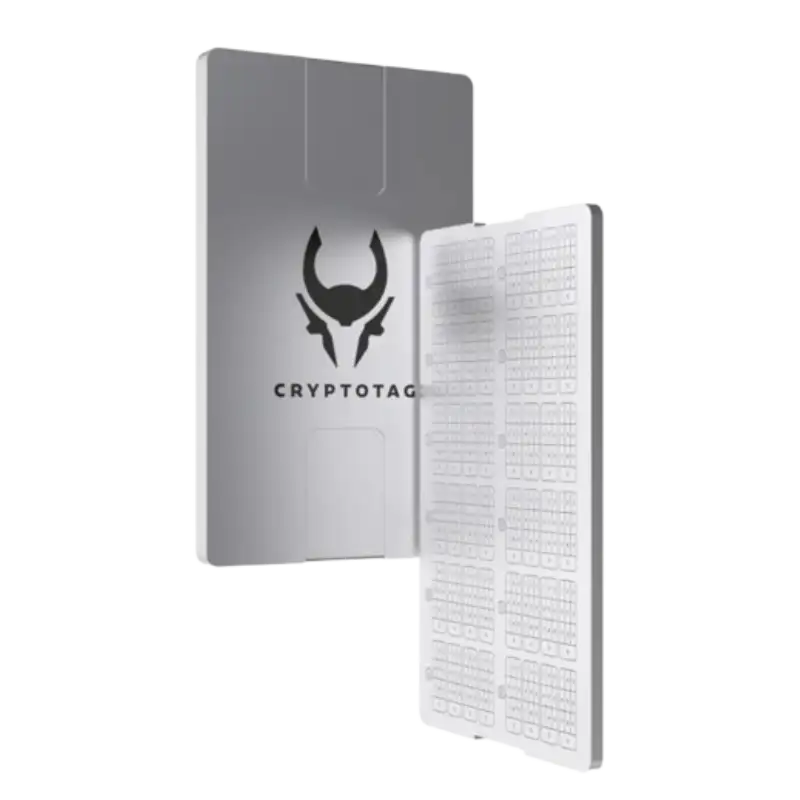
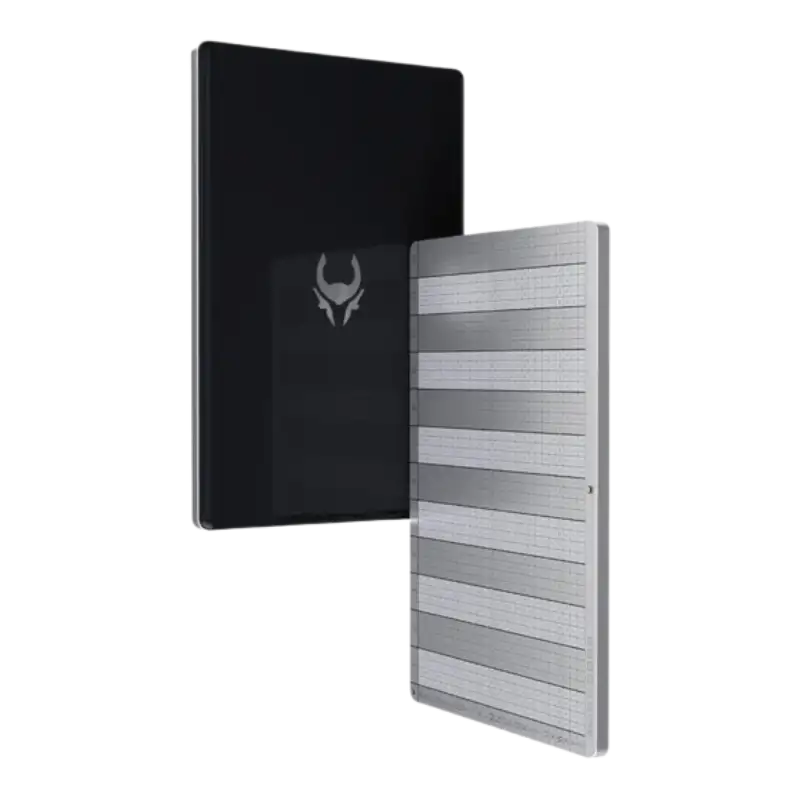
For most Model T users, the practical takeaway is straightforward: use the backup method you can manage safely for years. If your crypto holdings are modest and you are new to self-custody, a standard backup may be easier. If the wallet protects a meaningful amount of money, Shamir Backup or a metal backup setup may be worth considering.
The Model T’s recovery options remain one of its stronger features. Even though the wallet is discontinued, its backup system still gives serious users enough flexibility to build a safer long-term storage plan.
Pricing and Value
Pricing is where the Trezor Model T becomes harder to review than before. When a wallet is sold directly by the brand, the value question is simple: compare the official price, features, and alternatives. With the Model T, the official sales window has closed, so buyers now have to judge reseller pricing against newer Trezor models.
Trezor ended official e-shop sales for the Model T and Model One on January 8, 2026. The company says both devices may still be available from official resellers for a limited time, while support continues for existing users. That makes seller trust just as important as price.
The Model T only makes sense as a fresh purchase if the price is clearly lower than newer touchscreen options. Trezor’s Model T page now points users toward Safe 5, and Trezor describes Safe 5 as having a vibrant color touchscreen, haptic feedback, and Secure Element protection.
| Situation | Better Decision |
|---|---|
| You already own a working Model T | Keep using it if your backup is safe and the wallet fits your routine |
| Model T is sealed and meaningfully discounted | Worth considering from a trusted reseller |
| Model T is priced close to Safe 5 | Choose Safe 5 instead |
| Model T is used or already initialized | Avoid it |
| You want a cheaper current Trezor wallet | Compare Trezor Safe 3 |
| You want the most premium current Trezor wallet | Compare Trezor Safe 7 |
The Safe 5 is the main pressure point here. If the Model T is only slightly cheaper, the older wallet loses much of its appeal. You would be taking on the uncertainty of discontinued stock without saving enough money to justify it.
Trezor Safe 3 comparison is also important. Some buyers may not need a touchscreen at all. If the goal is simple cold storage for major assets, a cheaper current Trezor model can make more sense than paying extra for an older touchscreen wallet.
The Model T’s value is strongest for people who already own it. There is no need to spend again just because Trezor has moved the lineup forward. But as a new purchase, the Model T needs to win clearly on price, condition, and seller trust.
Competition: Trezor Model T vs Safe 5, Safe 7, Safe 3, and Ledger
The Model T’s competition now comes from two sides. Inside Trezor’s own lineup, Safe 5 and Safe 7 have taken over the higher-end space, while Safe 3 gives buyers a cheaper current option. Outside Trezor, Ledger still remains the main alternative for users who prefer a Secure Element-led wallet ecosystem and broader mobile convenience.
The closest replacement is the Trezor Safe 5. It keeps the touchscreen idea but makes it feel more current with haptic feedback, Gorilla Glass 3, Secure Element protection, and a newer design. Trezor itself points users from the Model T page toward the Safe 5, which makes the comparison straightforward: if you wanted the Model T because it was the premium touchscreen Trezor wallet, Safe 5 is now the more natural place to start.
Safe 7 sits above that. It is the more premium Trezor option, with Bluetooth Low Energy, Qi2-compatible wireless charging, a high-resolution color touchscreen, stronger physical construction, and Trezor’s newer transparent Secure Element direction. It is not the budget-friendly choice, but it is the model to compare if you want the most current Trezor experience instead of buying older stock.
Safe 3 is the more practical alternative for buyers who do not care about a touchscreen. It gives users a current Trezor model at a lower price point, with Secure Element protection and the same broader Trezor Suite ecosystem. For someone who wants cold storage without paying extra for screen comfort, Safe 3 may be easier to justify than a discontinued Model T.
Ledger Nano S Plus and Ledger Nano X are the outside comparisons. The Nano S Plus is the simpler USB-connected Ledger option, while Nano X is the more mobile-friendly model with Bluetooth. Ledger says its wallets use Secure Element chips and Ledger OS, which is the main difference in philosophy compared with Trezor’s traditional open-source positioning.
| Wallet | Best reason to choose it over Model T |
|---|---|
| Trezor Safe 5 | Newer touchscreen Trezor experience |
| Trezor Safe 7 | Premium Trezor option with Bluetooth and newer hardware |
| Trezor Safe 3 | Cheaper current Trezor wallet without touchscreen |
| Ledger Nano S Plus | Lower-cost Ledger option with Secure Element model |
| Ledger Nano X | Better mobile use with Bluetooth support |
The Model T still has a place in this comparison, but mainly when price works in its favor. If it costs close to Safe 5, the newer Trezor usually wins. If it costs close to Safe 3, the decision depends on whether you value the touchscreen more than buying a current model. If mobile use is a priority, Ledger Nano X or Trezor Safe 7 may be more practical.
This is where the Model T’s older status becomes clear. It is still a respected wallet, but the current competition gives buyers fewer reasons to stretch for it unless the deal is strong.
Who Should Still Use the Trezor Model T?
The Trezor Model T still makes sense for people who already own it and are happy with how it works. Trezor has made it clear that the device will keep working, support will continue for years, and no immediate action is needed from current users. That is important because replacing a hardware wallet is not something people should do just because a newer model exists.
It is also still a good fit for users who manage crypto from a desktop, prefer Trezor Suite, and like the touchscreen experience. If your portfolio is mostly long-term holdings and you are not constantly jumping between mobile apps, chains, and DeFi tools, the Model T remains practical.
The wallet is especially reasonable for users who value Trezor’s traditional open-source approach. Not every buyer wants the Ledger-style Secure Element model, and not every holder needs the newest hardware. Some users simply want a proven cold wallet that keeps private keys offline and stays understandable.
The Model T also remains useful for people who already have a proper backup setup. If your recovery backup is safely stored, your passphrase system is clear, and your wallet routine is working, there is no strong reason to disturb that setup without a real benefit.
Where an upgrade starts to make sense is when the device no longer fits how you use crypto. If you want newer hardware, a more current Trezor device, better mobile convenience, or a longer runway from a fresh purchase, then Safe 5 or Safe 7 becomes easier to justify.
For most existing owners, though, the Model T does not need to be treated like a problem. It is older, not useless.
Who Should Avoid Buying It Now?
The Trezor Model T is not the best choice for someone who wants the newest Trezor wallet experience. Trezor has already moved the main lineup forward, and the Model T is no longer sold through its official e-shop. If you are starting from scratch, it makes more sense to compare the current models first instead of paying current-model money for older stock.
It is also not a good fit if the reseller price is close to the Trezor Safe 5. The Safe 5 now fills the touchscreen role more naturally, while the Model T only becomes interesting if the price difference is large enough to justify buying discontinued hardware.
You should also avoid the Model T if the device is used, already initialized, missing original packaging, or sold by an unclear seller. This is not a normal gadget where second-hand buying is mostly about scratches and battery health. A hardware wallet protects access to your crypto, so the trust chain around the device matters.
The Model T is also less appealing for users who want a mobile-first experience, especially iPhone-first users. If your wallet needs to fit around a phone-heavy workflow, newer options like Trezor Safe 7 or Ledger Nano X may be easier to justify.
In simple terms, avoid buying the Trezor Model T now if the deal does not clearly work in your favor. The wallet is still useful, but it should not be bought today unless the seller is trusted, the unit is sealed, and the price makes sense against newer alternatives.
Moving crypto to a hardware wallet helps with custody, but it does not automatically organize your tax records. If you trade, transfer between wallets, or use multiple exchanges, crypto tax software can help track those transactions before tax season.
Coinpanda

Coin Ledger

Koinly

Final Verdict: Is the Trezor Model T Still Worth It?
The Trezor Model T is still worth using, but it is no longer the easiest Trezor wallet to recommend as a new purchase.
That difference is the whole review.
As a hardware wallet, the Model T still has real strengths. The touchscreen is useful, Trezor Suite keeps the experience simple, backup options are strong, and the device still fits the needs of many long-term crypto holders. It is not a wallet that existing users need to abandon just because Trezor has moved on to newer models.
But as something to buy today, the Model T needs a stronger reason. Since it is no longer sold directly by Trezor, it should only be considered if the unit is sealed, the seller is trusted, and the price is clearly lower than newer options like the Trezor Safe 5. If the discount is small, the Safe 5 is the cleaner choice. If you want the most premium Trezor experience, Safe 7 makes more sense. If you want a cheaper current model, Safe 3 is easier to justify.
The Model T now works best as a supported older wallet, not as the default first choice for new buyers. Existing owners can keep using it with confidence if their backup is safe and their setup is working. New buyers should be more selective.
Final call: keep the Trezor Model T if you already own it, but compare newer Trezor wallets before buying one today.
Frequently Asked Questions [FAQs]
Yes. Trezor says the Model T is no longer sold through its official store. The company ended official e-shop sales for both the Model T and Model One on January 8, 2026, though remaining units may still be available from official resellers for a limited time.
Yes, the Model T is still safe to use if your device is genuine, working properly, and your wallet backup is secure. Trezor says the end of sales does not affect support for existing devices, and critical security updates are planned until at least 2036.
Trezor says the Model T will receive basic maintenance and new coin support until at least 2031. Critical security updates are planned until at least 2036. After those dates, the device may still function, but Trezor recommends switching to a newer model for continued support and improvements.
You cannot buy the Model T directly from Trezor anymore. Trezor says remaining units may still be available from official resellers for a limited time. If you buy one now, the safer route is to use a trusted reseller and avoid used, opened, or already-initialized units.
No. A used hardware wallet is usually not worth the risk. If someone else has handled, initialized, or tampered with the device, you cannot fully trust the wallet setup. Hardware wallets should be bought sealed from trusted sources and initialized by you.
For most new buyers, no. The Model T is still useful, but the Trezor Safe 5 is the newer touchscreen option and is now the more natural replacement. Trezor’s Model T page also points users toward the Safe 5, saying the Model T’s “spirit lives on” there.
Not urgently. If your Model T works well, your backup is safe, and you are happy with the experience, the support timeline gives you enough room to keep using it. An upgrade makes more sense if you want newer hardware, a more current Trezor model, or better long-term relevance from a fresh purchase.
Yes. The Model T supports Shamir Backup, also known as SLIP39. Trezor describes Shamir Backup as a way to reduce the two common risks of wallet backups: losing the backup or having it stolen.
It can be good for beginners who already own it or find a sealed unit at a fair price, mainly because the touchscreen makes PIN entry and confirmation easier. But for a first hardware wallet purchase today, most beginners should compare the Trezor Safe 5 and Safe 3 first.
The closest alternative is the Trezor Safe 5 because it replaces the Model T’s touchscreen role in Trezor’s lineup. Trezor Safe 7 is the more premium option, while Trezor Safe 3 is better for buyers who want a cheaper current Trezor wallet without needing a touchscreen.
Did we help you out? Show us some support:
Ethereum Address
0xE7D047f1FA287f4ad298864535a62E45E789b445
Bitcoin Address
bc1q84w4qvaz5a2wne9xlf799s8we4q64a2yrttet8
Solana Address

52wokPhAncfZwGtTCHMycXGKKKAPENBw5yFTMewmpHQz


