

When it comes to safeguarding digital assets, a hardware wallet remains one of the most reliable defenses against theft, phishing, and exchange failures. Unlike mobile or desktop wallets that stay connected to the internet, hardware wallets keep private keys offline, making them far less exposed to hackers and malware.
Over the years, two brands have dominated this space: Trezor and Ledger. Ledger has devices like the Nano S Plus, Nano X, and Ledger Stax, while Trezor has built its identity around open-source security, transparency, and self-custody. The Trezor Safe 5 continues that philosophy, but with a smoother and more modern hardware experience.
The Safe 5 sits above the Trezor Safe 3 and below the Trezor Safe 7. It is designed for users who want more comfort than a two-button wallet, but do not necessarily need the premium price or mobile-first features of Trezor’s top model. With a 1.54-inch color touchscreen, haptic feedback, Gorilla Glass 3, USB-C, Secure Element protection, and Advanced Multi-share Backup, the Safe 5 feels like Trezor’s practical upgrade for serious long-term holders.
But there is still a clear buying question: should you pay USD 129 for the Safe 5, or is the Trezor Safe 3 at USD 59 enough? And if mobile convenience matters more, should you compare the Trezor Safe 7 or Ledger Nano X instead?
In this review, we’ll break down everything you need to know, from design and build quality to security, supported coins, usability, backup options, pricing, and competition, so you can decide whether the Trezor Safe 5 is the right hardware wallet for your crypto.
Investographer may earn a commission if you buy through links on this page, at no extra cost to you. This review is educational and should not be treated as financial, investment, or tax advice. For more information, read our full Affiliate Disclosure.
Quick Summary
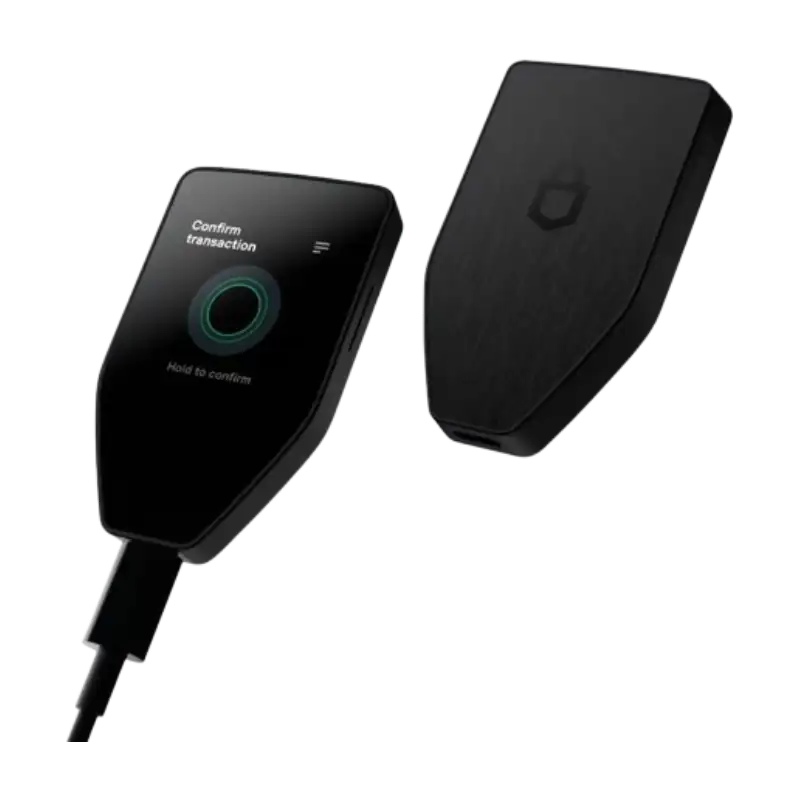
The Trezor Safe 5 is the best fit for users who want Trezor’s open-source security philosophy with a more comfortable touchscreen experience. It is not the cheapest Trezor wallet, but it gives you a meaningful upgrade over the Safe 3 through its color touchscreen, haptic feedback, Gorilla Glass 3, and smoother on-device navigation.
| Feature | Trezor Safe 5 |
|---|---|
| Price | USD 129 |
| Display | 1.54-inch color touchscreen |
| Security | Secure Element EAL6+, PIN, passphrase, on-device entry |
| Backup | 12-, 20-, and 24-word wallet backup; Advanced Multi-share Backup |
| Connectivity | USB-C |
| Software | Trezor Suite and third-party wallet apps |
| Supported Assets | Thousands of coins and tokens |
| Mobile Use | Full Android compatibility; limited iOS compatibility |
| Best For | Long-term holders, passphrase users, and users who want touchscreen comfort |
| Cheaper Alternative | Trezor Safe 3 |
| Premium Alternative | Trezor Safe 7 |
The Good
The Bad
Check Out Crypto Backup Tools,
Cryptotag Zeus
Cryptotag Loki
Capsule Solo
The Billfodl
1. Design and Build Quality
The first impression of the Trezor Safe 5 is that it feels more refined than Trezor’s entry-level wallets, but still practical rather than luxurious. It keeps a compact, lightweight body, yet the front is dominated by a 1.54-inch color touchscreen, which immediately makes it feel more modern than the Trezor Safe 3.
That touchscreen is the main design upgrade. It makes PIN entry, passphrase use, transaction confirmation, and address checking much easier than a two-button setup. For users who interact with their wallet often, this is not just a visual improvement; it reduces friction and lowers the chance of mistakes.
Trezor also adds haptic feedback and Gorilla Glass 3, giving the Safe 5 a more confident feel during approvals. It is still not as premium-looking as the Ledger Stax with its e-ink display or the Trezor Safe 7 with its more advanced build, but it feels clearly above basic hardware wallets.
The body uses durable plastic, which may disappoint buyers expecting a metal-clad device. But for most users, the trade-off is acceptable. The Safe 5 is light, discreet, easy to store, and comfortable to use during setup or day-to-day transactions.
The device uses USB-C, which keeps it compatible with modern desktop and Android workflows. The lack of Bluetooth may feel limiting compared with the Ledger Nano X or Trezor Safe 7, but some users will prefer the simpler wired-first approach because it avoids unnecessary wireless exposure.
For long-term holders, the Safe 5’s design is best understood as comfort-focused, not luxury-focused. It does not try to look expensive. It tries to make secure crypto management easier, and that is where the design succeeds.
2. Security Features
Security is where Trezor has built its reputation, and the Safe 5 keeps that trust while correcting one major limitation of older Trezor devices. Unlike the older Model T, the Safe 5 includes a Secure Element Certified Chip rated EAL6+, giving it stronger hardware-level protection while still keeping Trezor’s open-source security identity.
This matters because Trezor and Ledger have traditionally taken different approaches. Ledger emphasizes Secure Element hardware and a more closed architecture, while Trezor emphasizes transparency, auditability, and open-source trust. The Safe 5 narrows that gap by adding Secure Element protection without abandoning Trezor’s open-source philosophy.
The wallet also includes PIN and passphrase protection. A PIN protects the device from basic unauthorized access, while a passphrase can create an extra layer of protection for users who understand how to manage it properly. For serious holders, this is powerful. But it also comes with responsibility: if you forget your passphrase, that wallet may not be recoverable.
Every important action is confirmed on the device itself. This is one of the main reasons hardware wallets matter. Even if your computer is compromised, the wallet screen gives you a final place to verify addresses, amounts, and approvals before signing.
The Safe 5 also supports Advanced Multi-share Backup, along with 12-, 20-, and 24-word wallet backups. This makes the recovery system more flexible than a simple one-location seed phrase, especially for users who want to split recovery responsibility across multiple places or trusted people.
In practice, the Safe 5’s security model is strong enough for serious long-term storage. It gives users the Trezor transparency they expect, but with modern hardware protection and better recovery flexibility than older Trezor models.
3. User Experience
User experience is the strongest reason to consider the Trezor Safe 5 over the Safe 3. From the moment you start using it, the touchscreen changes the feel of the device. Entering a PIN, confirming a transaction, checking an address, or using a passphrase feels more natural than clicking through menus with two physical buttons.
Setup is handled through Trezor Suite, which gives users a clean place to manage balances, send and receive assets, track portfolio history, buy, sell, swap, and stake supported coins. Trezor Suite is one of the reasons the Safe 5 remains approachable even for first-time hardware wallet users.
The touchscreen is especially useful for passphrase users. On button-based wallets, passphrase entry can feel slow and annoying. On Safe 5, the experience is smoother, which matters if you use hidden wallets or advanced account separation.
Day-to-day use is straightforward. You connect the wallet, open Trezor Suite, review the transaction details, and confirm on the device. The screen gives you enough clarity to verify important information before approving. That extra visibility is one of the biggest practical advantages over smaller-screen wallets.
Compared with Ledger devices, Safe 5 feels more transparency-focused. Compared with Safe 3, it feels more comfortable. When compaed with Safe 7, it lacks the same premium mobile convenience. That makes it best for users who want a smoother Trezor experience without paying for the top model.
In everyday use, the Safe 5 does not feel flashy. It feels calmer, clearer, and easier to trust. For many crypto holders, that is exactly what a hardware wallet should feel like.
4. Compatibility
The Trezor Safe 5 works well across desktop environments and fits best with users who manage crypto from a laptop or Android device. Trezor’s comparison page lists Safe 5 with Android, Mac, Windows, and Linux compatibility, while iOS compatibility is limited to checking balances, buying, and receiving crypto.
That distinction matters. If you want full iPhone-first hardware wallet use, the Trezor Safe 7 is the stronger Trezor option. If you are comfortable using desktop or Android, Safe 5 should feel practical enough.
Beyond Trezor Suite, Safe 5 also works with third-party wallet apps and services. This gives users access to broader wallet workflows, DeFi tools, and dApps while keeping private keys protected by the device.
| Wallet | Desktop Support | Mobile Fit | Third-Party Wallets | Best Compatibility Angle |
|---|---|---|---|---|
| Trezor Safe 5 | Mac, Windows, Linux | Full Android; limited iOS | Yes | Best touchscreen Trezor for desktop/Android users |
| Trezor Safe 3 | Mac, Windows, Linux | Full Android; limited iOS | Yes | Lower-cost Trezor option |
| Trezor Safe 7 | Mac, Windows, Linux | Full iOS and Android | Yes | Best Trezor for mobile convenience |
| Ledger Nano X | Desktop support | Stronger mobile use | Yes | Better for Bluetooth/mobile-first users |
Overall, Safe 5 is highly compatible for most users, especially those who manage assets through desktop and Android. But iPhone-first buyers should be careful, because Safe 5 is not Trezor’s strongest mobile option.
5. Backup and Recovery Options
Backup and recovery are the backbone of crypto security. If your hardware wallet is lost, stolen, or damaged, your backup is the only bridge back to your funds. This is where the Trezor Safe 5 makes one of its strongest arguments.
Trezor lists Safe 5 with 12-, 20-, and 24-word wallet backup support and Advanced Multi-share Backup. This gives users both simple and advanced recovery paths, depending on how much redundancy they want.
For most users, a standard backup is enough. You write down the backup during setup, store it offline, and use it to recover your wallet if the device is lost or replaced. This is simple, proven, and easy to understand.
Advanced Multi-share Backup is for users who want stronger resilience. Instead of relying on one backup in one location, you can create multiple shares and require a set number of them to restore the wallet. This can help reduce the risk of one backup being destroyed, stolen, or misplaced.
This is especially useful for families, business partners, or users storing a meaningful amount of crypto. But it should not be treated casually. Multi-share backup improves redundancy only if the shares are planned and stored properly.
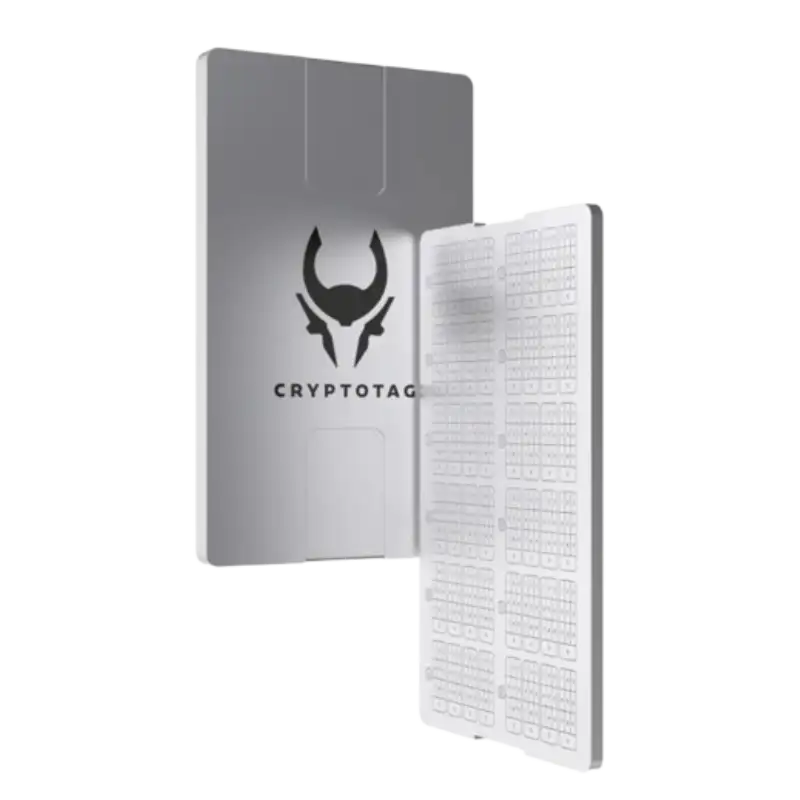
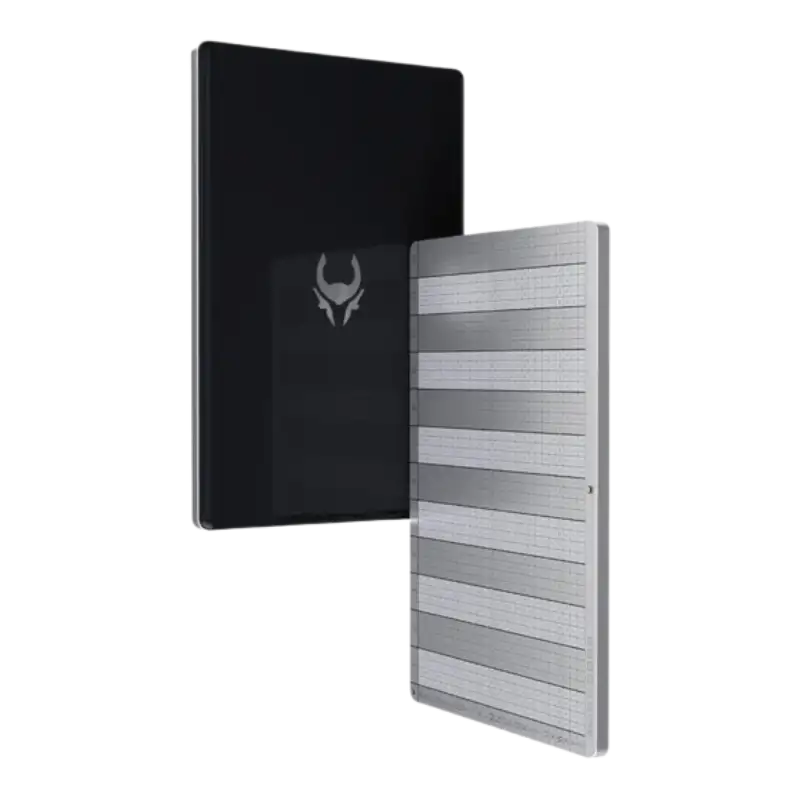
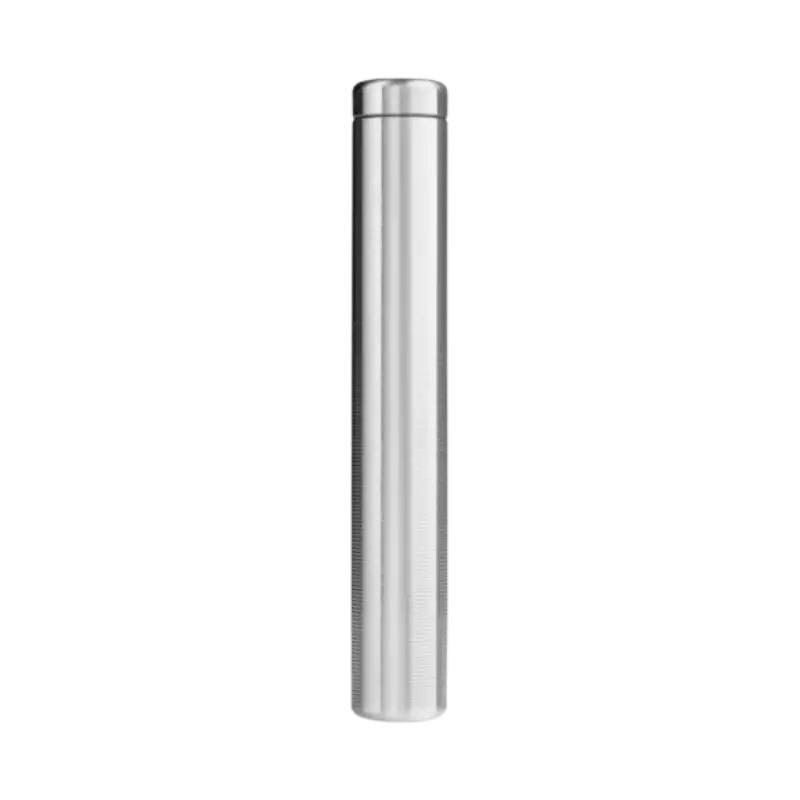
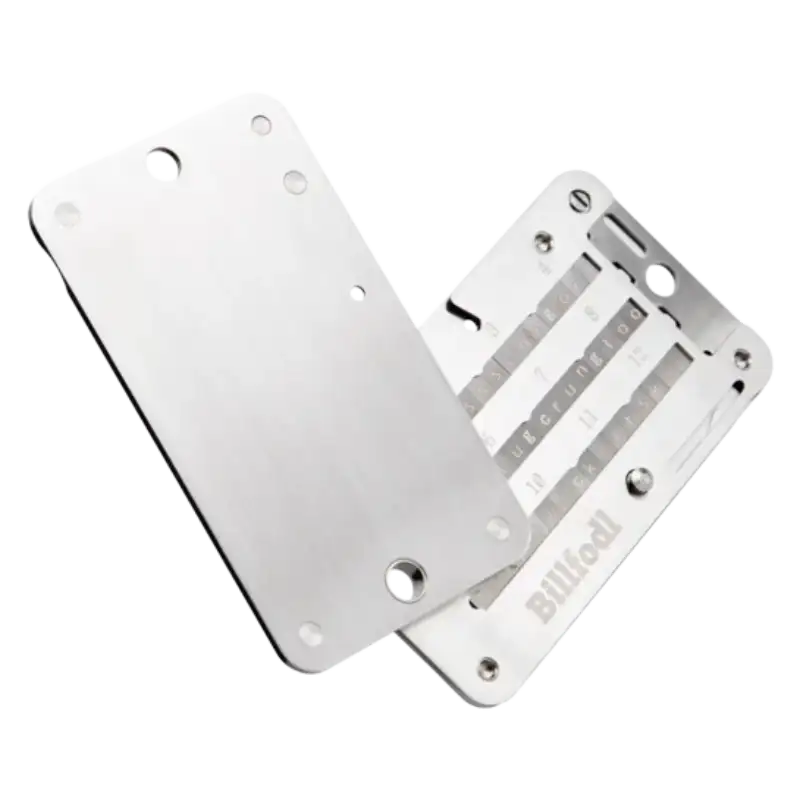
For long-term storage, Safe 5 pairs well with metal backup tools like Cryptotag Zeus, Cryptosteel Capsule Solo, or The Billfodl. A hardware wallet protects access, but your backup protects recovery. If your paper backup is destroyed, the wallet alone will not save you.
In short, Safe 5 gives users one of the stronger backup systems in the hardware wallet market. It is simple enough for beginners, but flexible enough for serious holders who want more than a single recovery phrase.
6. Supported Cryptocurrencies
Coin support is one of the main reasons users choose a hardware wallet, and the Trezor Safe 5 covers the needs of most investors. Trezor says its wallets support thousands of coins and tokens, including major assets such as Bitcoin, Ethereum, Litecoin, stablecoins, and many altcoins.
The important thing is to check asset support properly before transferring funds. A coin may be supported by the device, but the experience can differ depending on whether it works directly inside Trezor Suite or requires a third-party wallet app.
For most users, this will not be a problem. Bitcoin, Ethereum, stablecoins, and major tokens are the assets most hardware wallet buyers care about. Trezor Suite handles many core use cases, while third-party wallet compatibility helps users access more advanced tools.
Compared to the Trezor Safe 3, Safe 5 does not mainly win on coin support. Both belong to Trezor’s current ecosystem and support thousands of assets. The difference is how comfortably you interact with those assets. Safe 5’s touchscreen makes it easier to confirm addresses, use passphrases, and manage repeated transactions.
| Wallet | Supported Assets | Notable Strengths | Limitations |
|---|---|---|---|
| Trezor Safe 5 | Thousands of coins and tokens | Touchscreen, Trezor Suite, open-source identity | Some advanced use may need third-party apps |
| Trezor Safe 3 | Thousands of coins and tokens | Lower price, strong basic cold storage | Two-button navigation |
| Ledger Nano S Plus | Broad crypto support | Strong Ledger Live ecosystem | No Bluetooth |
| Ledger Nano X | Broad crypto support | Better mobile convenience | Higher price than basic wallets |
For most investors, Safe 5 offers more than enough coin coverage. Unless your portfolio depends on highly niche assets or app-specific staking features, the wallet should be flexible enough for long-term holding and normal portfolio management.
7. Pricing and Value
The Trezor Safe 5 is priced at USD 129, placing it clearly above the Safe 3 but well below the Safe 7. This makes it Trezor’s middle option: not the cheapest hardware wallet, not the most premium one, but the wallet that balances comfort and security.
At USD 129, the main question is whether the touchscreen is worth the extra cost over the Trezor Safe 3 at USD 59. For users who only want basic cold storage, Safe 3 may be enough. It already gives you Secure Element protection, open-source design, USB-C, Trezor Suite support, and Advanced Multi-share Backup.
Where Safe 5 justifies its price is usability. The touchscreen, haptic feedback, Gorilla Glass 3, and smoother passphrase entry make the wallet easier to live with. If you interact with your wallet often or use passphrases seriously, this upgrade can feel worth it.
| Buyer Situation | Better Pick |
|---|---|
| You want the cheapest current Trezor wallet | Trezor Safe 3 |
| You want touchscreen comfort | Trezor Safe 5 |
| You use passphrases often | Trezor Safe 5 |
| You want stronger iPhone/mobile convenience | Trezor Safe 7 |
| You want Bluetooth | Trezor Safe 7 or Ledger Nano X |
| You only hold small amounts | Safe 3 may be enough |
| You want the best balance in Trezor’s lineup | Trezor Safe 5 |
The hidden cost is backup protection. If you are holding crypto for years, a metal backup solution like Cryptotag Zeus, Cryptosteel, or Billfodl may be worth adding. That raises the total cost, but it also strengthens the part of your setup that actually survives fire, water, or device loss.
Overall, the Safe 5 offers strong value for users who want more comfort than Safe 3 without paying Safe 7 pricing. It is not the cheapest choice, but it may be the most balanced Trezor wallet for serious everyday holders.
8. Competition Analysis
The Trezor Safe 5 competes in a crowded hardware wallet market, but its position is clearer when you look at price and user type. It is not trying to beat the Safe 3 on affordability or the Safe 7 on premium features. Its role is to offer Trezor security with better comfort at a mid-range price.
Inside Trezor’s lineup, the Safe 5 is the comfort upgrade. The Safe 3 costs USD 59 and is better for budget buyers. Trezor Safe 5 costs USD 129 and gives you the touchscreen experience. The Safe 7 costs USD 249 and is better for users who want Trezor’s premium design, Bluetooth, wireless connectivity, and stronger mobile convenience. Trezor’s compare page also shows that Safe 7 has full iOS compatibility, while Safe 5 has limited iOS compatibility.
| Wallet | Price | Key Strengths | Limitations | Best For |
|---|---|---|---|---|
| Trezor Safe 3 | USD 59 | Low price, Secure Element, Multi-share Backup | No touchscreen | Beginners and budget holders |
| Trezor Safe 5 | USD 129 | Touchscreen, haptics, Secure Element, strong backup | No Bluetooth, limited iOS | Users who want comfort and Trezor transparency |
| Trezor Safe 7 | USD 249 | Bluetooth, premium build, full iOS/Android compatibility | Expensive | Mobile-first and premium Trezor users |
| Ledger Nano S Plus | Check current price | Strong Ledger ecosystem, broad support | No Bluetooth | Budget Ledger users |
| Ledger Nano X | Check current price | Bluetooth and stronger mobile use | Higher cost than basic wallets | Mobile-first users |
| Ledger Stax | Check current price | Premium e-ink touchscreen design | Overkill for most users | Design-focused buyers |
Against Ledger, the decision often comes down to philosophy and workflow. Ledger appeals to users who like Ledger Live, Bluetooth on Nano X, and Ledger’s Secure Element-led model. Trezor appeals to users who prefer open-source security, transparent design, and a less closed ecosystem.
The Safe 5’s strongest competitor is actually the Safe 3. If you do not care about touchscreen comfort, the Safe 3 gives strong value at less than half the price. But if you use your wallet often, confirm transactions regularly, or rely on passphrases, the Safe 5 becomes much easier to justify.
In short, the Safe 5 competes by being the most balanced Trezor wallet. Safe 3 wins on price, Safe 7 wins on premium mobility, and Safe 5 wins for users who want better usability without going all the way to the top-end model.
Who Should (and Shouldn’t) Buy the Trezor Safe 5
The Trezor Safe 5 is not a one-size-fits-all hardware wallet. Its strengths make it ideal for certain users, while others may be better served by the Safe 3, Safe 7, or Ledger alternatives.
Who Should Buy Trezor Safe 5?
- Long-term holders who want strong self-custody with a smoother interface.
- Trezor users upgrading from older models like the Model T or Model One.
- Passphrase users who want easier input through a touchscreen.
- Security-conscious users who value open-source design and Secure Element protection.
- Users with larger portfolios who want better recovery flexibility through Advanced Multi-share Backup.
- Desktop and Android users who do not need full iPhone-first hardware wallet support.
- Investors who find Safe 3 too basic but Safe 7 too expensive.
Who Shouldn’t Buy Trezor Safe 5?
- Budget-focused buyers who only need basic cold storage and can choose Safe 3.
- Mobile-first users, especially iPhone users, who may prefer Safe 7 or Ledger Nano X.
- Bluetooth users who want wireless connectivity.
- Premium-device buyers who want the highest-end Trezor build.
- Users with small holdings who may not need a USD 129 wallet.
- Ledger ecosystem users who prefer Ledger Live and Ledger’s workflow.
In summary, Safe 5 is best suited for serious holders who want Trezor’s security philosophy with better daily comfort. It is not the cheapest or most mobile-friendly option, but it may be the best balance for users who want a wallet they can actually enjoy using.
Final Verdict: Should You Get the Trezor Safe 5?
The Trezor Safe 5 is a strong choice for users who want control, transparency, and comfort in one hardware wallet. It keeps Trezor’s open-source identity while adding the features that make daily use easier: a color touchscreen, haptic feedback, Gorilla Glass 3, USB-C, Secure Element protection, and Advanced Multi-share Backup.
It is not the cheapest wallet in Trezor’s lineup. The Safe 3 gives excellent value at USD 59. But Safe 5 feels better to use, especially if you enter passphrases, confirm transactions often, or want a more comfortable interface.
It is also not the most mobile-friendly Trezor wallet. If you want Bluetooth, stronger iOS compatibility, or Trezor’s premium hardware direction, the Safe 7 is the better upgrade. If you prefer Ledger Live and Bluetooth at a lower price than Safe 7, Ledger Nano X is also worth comparing.
For most users who want a serious Trezor wallet without overpaying for the top model, Safe 5 hits the sweet spot. It is more comfortable than Safe 3, more affordable than Safe 7, and more transparent in philosophy than many closed-ecosystem alternatives.
Final call: Trezor Safe 5 is worth it if you want Trezor security with touchscreen comfort, better passphrase usability, and stronger everyday handling than the Safe 3.
Moving crypto to a hardware wallet helps with custody, but it does not automatically organize your tax records. If you trade, transfer between wallets, use DeFi, or move funds across exchanges, crypto tax software can help track those transactions before tax season.
Moving crypto to a hardware wallet helps with custody, but it does not automatically organize your tax records. If you trade, transfer between wallets, or use multiple exchanges, crypto tax software can help track those transactions before tax season.
Coinpanda

Coin Ledger

Koinly

Frequently Asked Questions [FAQs]
Yes, the Trezor Safe 5 is worth it if you want a Trezor wallet with touchscreen comfort, Secure Element protection, open-source design, and Advanced Multi-share Backup.
The Trezor Safe 5 costs USD 129.
Yes. Trezor Safe 5 has a Secure Element Certified Chip rated EAL6+.
Yes. Trezor now frames this as Advanced Multi-share Backup, along with 12-, 20-, and 24-word wallet backup options.
Safe 5 is better for comfort, touchscreen navigation, and passphrase use. Safe 3 is better if you want a lower price.
Safe 5 has limited iOS compatibility. Trezor Safe 7 is the better Trezor option for full iOS and Android compatibility.
Yes. Trezor devices support third-party wallet apps, which can include wallet tools used for DeFi and Web3 activity.
No. Trezor Safe 5 uses USB-C and does not have Bluetooth.
You can recover your funds using your wallet backup on another compatible wallet. The device can be replaced, but the backup must be stored safely.
It is strongly recommended for long-term holders. A metal backup helps protect your recovery words from fire, water, and physical damage.
Did we help you out? Show us some support:
Ethereum Address
0xE7D047f1FA287f4ad298864535a62E45E789b445
Bitcoin Address
bc1q84w4qvaz5a2wne9xlf799s8we4q64a2yrttet8
Solana Address

52wokPhAncfZwGtTCHMycXGKKKAPENBw5yFTMewmpHQz


