

If you are looking for the Trezor Model One today, the first thing to know is that Trezor no longer sells it directly. The Model One has been discontinued from Trezor’s official e-shop, though Trezor says remaining units may still be available from official resellers for a limited time. The company also says the Model One will continue receiving basic maintenance until at least 2031 and critical security updates until at least 2036.
That makes the Model One a very different buying decision than it used to be.
For years, the Model One was the simple entry point into Trezor’s hardware wallet ecosystem. It was affordable, small, easy to understand, and built for users who wanted to move crypto away from exchanges without paying for a touchscreen wallet. It also has historical importance: Trezor says the Model One launched in 2014 as the world’s first hardware wallet.
But the current Trezor lineup has moved forward. The Trezor Safe 3 is now the more natural budget-friendly option, while the Safe 5 and Safe 7 serve users who want newer hardware, touchscreen features, or a more premium wallet experience.
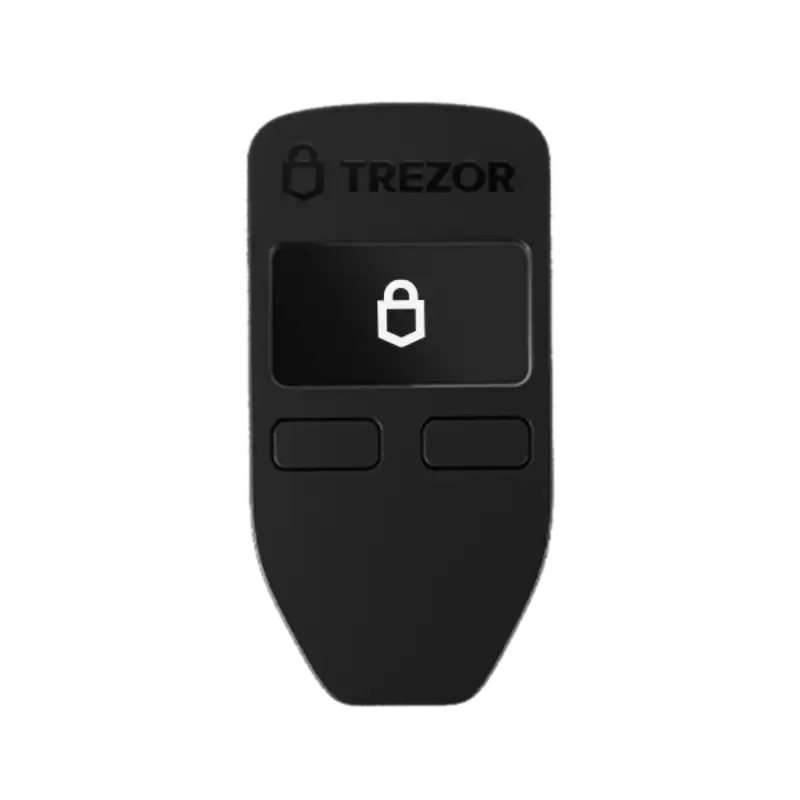
The Model One still offers offline private key storage, open-source security and design, PIN and passphrase protection, physical transaction confirmation, Trezor Suite support, and a compact two-button design. Trezor also describes it as a trusted, proven, and affordable hardware wallet that has stood the test of time.
So the question is not whether the Model One was important. It clearly was. The better question is whether it still makes sense today, especially when newer Trezor wallets are easier to recommend for most fresh buyers.
Investographer may earn a commission if you buy through links on this page, at no extra cost to you. This review is educational and should not be treated as financial, investment, or tax advice. For more information, read our full Affiliate Disclosure.
Quick Summary
The Trezor Model One is still worth using if you already own one and mainly need a simple cold wallet for supported assets. It remains supported for years, works with Trezor Suite, and still does the basic hardware wallet job: keeping private keys offline and requiring physical confirmation for important actions.
As a new purchase, the Model One needs more caution. Since Trezor no longer sells it directly, it should only be considered if it comes sealed from a trusted reseller and costs meaningfully less than the Trezor Safe 3. If the price is close, Safe 3 is usually the cleaner choice because it is a current Trezor model with newer hardware direction.
| Factor | Trezor Model One Review |
|---|---|
| Current status | Discontinued from Trezor’s official e-shop |
| Still supported? | Yes, basic maintenance until at least 2031 and critical security updates until at least 2036 |
| Can you still buy it? | Possibly from official resellers for a limited time |
| Best for | Existing owners and buyers who find trusted sealed stock at a strong discount |
| Not ideal for | New buyers who want the most current budget Trezor wallet |
| Main strength | Simple design, Trezor Suite, open-source approach, long history |
| Main weakness | Older hardware, no touchscreen, no longer sold directly by Trezor |
| Better current Trezor option | Trezor Safe 3 |
| Touchscreen alternative | Trezor Safe 5 |
| Premium Trezor option | Trezor Safe 7 |
| Buy used? | No, avoid used or already-initialized hardware wallets |
The Good
The Bad
Check Out The Best Crypto Backup Tools,
Cryptotag Zeus
Cryptotag Loki
Capsule Solo
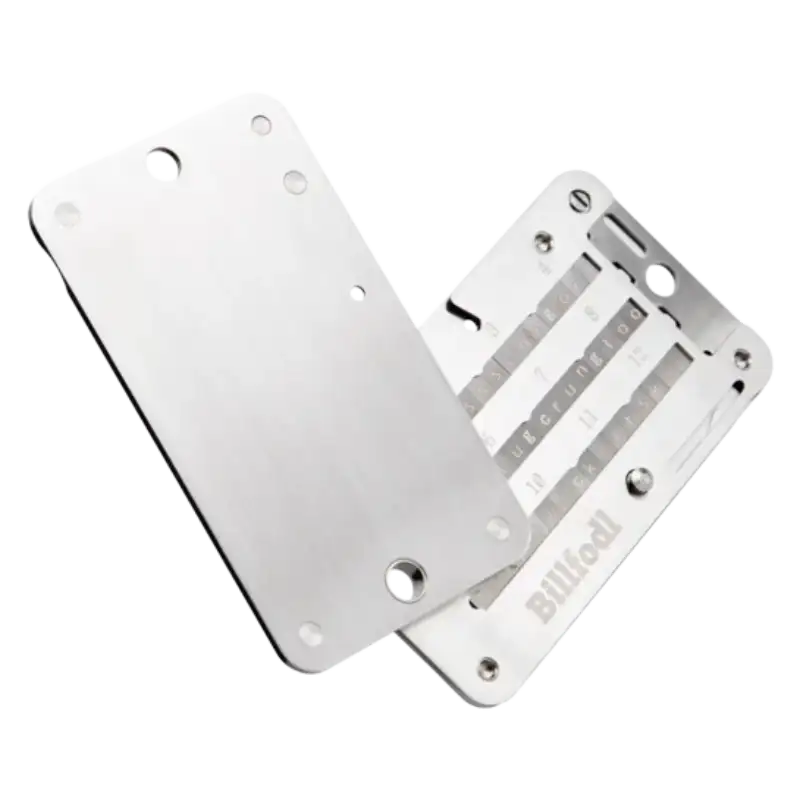
The Billfodl
Current Status: Discontinued but Still Supported
Trezor ended official e-shop sales for the Model One and Model T on January 8, 2026. The company says both devices remain safe to use, will continue working as usual, and may still be available from official resellers for a limited time.
For Model One owners, the important part is support. Trezor says it will continue providing critical security updates for both Model One and Model T until at least 2036, with basic maintenance until at least 2031. Unlike Model T, new coin support is not listed for Model One until 2031, which makes the newer Safe series more appealing for buyers who want broader future flexibility.
Trezor also notes that devices like the Safe series and Model T are expected to handle some future standards through software, while it is uncertain whether the Model One will fully support future standards because of hardware limitations. That does not affect normal use today, but it does matter for someone buying a wallet for the longest possible future runway.
The clean position is this: the Trezor Model One is still worth keeping if you already own it, but the Trezor Safe 3 is now the better place for most new budget buyers to start.
Design and Build
The Trezor Model One is the opposite of a premium-looking hardware wallet. It is small, light, and simple, with a two-button layout and a small OLED screen. That design may feel old next to newer wallets, but it also explains why the Model One became popular in the first place: it made cold storage feel less intimidating.
Trezor lists the Model One with a 0.96-inch monochromatic OLED screen, 128 × 64 pixel resolution, two physical buttons, and a Micro-USB connection. These specs are clearly dated now, especially when compared with USB-C wallets and touchscreen models, but they are still enough for basic wallet actions like checking addresses, entering PIN flows, and confirming transactions.
The two-button design keeps things simple, but it is not as comfortable as a touchscreen. Basic confirmations are fine. The slower part is when you need to enter or manage anything more sensitive, especially passphrase-related use. This is where the Model One feels like an older wallet: secure enough for the job, but not designed for comfort.
The Micro-USB connection also makes the wallet feel dated. It still works, but most current devices have moved toward USB-C, and newer Trezor models feel more convenient because of that. This is not a dealbreaker if you already own the device and have the right cable, but it is another reason the Model One is harder to recommend as a fresh purchase today.
Where the design still works is storage. The Model One is compact and easy to keep away safely. A hardware wallet does not need to sit on a desk or feel like a daily-use gadget. Most users will connect it only when they need to receive, send, or confirm something, then store it separately from the recovery backup.
The build quality is practical, not premium. That is fine for what the Model One was built to be. It was not trying to compete with touchscreen wallets or metal-body devices. It was built as an affordable entry point into self-custody, and in that role, the design still makes sense.
Compared with the Trezor Safe 3, though, the age is obvious. Safe 3 gives buyers a current Trezor option with USB-C, Secure Element protection, and a more modern hardware direction. The Model One still works, but Safe 3 now feels like the cleaner budget choice for most people buying today.
Security Features
The Trezor Model One still covers the basic security job well. It keeps private keys offline, uses PIN protection, requires physical confirmation on the device, and works with Trezor Suite for wallet management. For someone who mainly wants to move crypto away from an exchange, that is still a meaningful step up from leaving funds in an online account.
Its security identity is built around Trezor’s open-source approach. Trezor describes the Model One as having open-source security and design, which means its software and firmware can be reviewed publicly instead of being treated like a closed system. This has always been one of the main reasons some users prefer Trezor over Ledger’s more Secure Element-focused model.
The Model One also supports passphrases, but this is where the older design becomes less comfortable. On a touchscreen wallet, passphrase entry feels more natural. On the Model One, the two-button setup and small screen make advanced use slower. The feature is still useful, but the experience is not as smooth as it is on Model T, Safe 5, or Safe 7.
The biggest point to understand is that the Model One’s security is still good enough for normal cold storage, but it is not Trezor’s newest security direction. Current Trezor Safe models include Secure Element protection, while the Model One belongs to Trezor’s earlier hardware generation. That does not make it unsafe, but it does make newer models easier to recommend when someone is buying fresh.
For existing users, the support timeline helps. Critical security updates are planned until at least 2036, which gives the Model One a long runway as a supported device. The bigger risk for most users is not the wallet suddenly failing as a concept. It is poor self-custody habits: saving the recovery words digitally, ignoring device-screen confirmations, using unclear resellers, or treating the backup like a normal password.
So the Model One’s security verdict is balanced. It is still a real cold wallet with a long security-update runway, but buyers who want newer hardware protections should compare it with the Trezor Safe 3 first.
User Experience
The Trezor Model One is easy to understand, but not always quick to use. That is the trade-off of its small screen and two-button design. For basic storage, receiving, and occasional sending, the experience is still simple enough. For anything more advanced, the age of the hardware becomes more noticeable.
Trezor Suite carries most of the experience. It gives users one place to manage the wallet, check balances, receive crypto, send transactions, and adjust settings. Trezor describes Suite as the app for managing crypto while the hardware wallet keeps keys offline, which is still the right way to think about the Model One: the device handles confirmation, while Suite handles most of the visual work.
The two buttons are fine for simple confirmations. They are less comfortable when compared with touchscreen wallets, especially if you use passphrases or move through menus often. This does not make the Model One bad, but it does make it feel more like a basic security tool than a smooth modern wallet.
Setup is also more desktop-centered. Trezor’s Model One setup guide says setup is only available using Trezor Suite Desktop, though Android users can use the Trezor Suite web app. iPhone users cannot set up the Model One because iOS does not support USB connections for Trezor devices.
That matters for buyers who expect a phone-first wallet. The Model One works best for someone who is comfortable managing crypto from a computer. If you only use an iPhone and do not want to involve a desktop, this is not the right wallet to start with.
For normal long-term holding, the Model One experience is still workable. It is not elegant, and it is not trying to be. Its value comes from being simple, familiar, and focused on the core job of cold storage. But when compared with the Safe 3, the older setup starts to feel less convenient, especially because Safe 3 gives buyers a current Trezor option with newer hardware and USB-C.
Compatibility and Supported Crypto
The Trezor Model One is best suited for a simple crypto portfolio. If you mainly hold Bitcoin, Ethereum, stablecoins, and a few major assets, it can still work well as a basic cold wallet. Trezor’s supported coins page lets users filter assets by device, Trezor Suite support, third-party wallet support, sending, receiving, trading, and staking, which is important because support can vary by coin, network, and wallet app.
This is where buyers need to be more careful with the Model One than with newer Trezor wallets. It has a long history and still supports many common assets, but it is not the wallet to buy blindly for every token, chain, or DeFi use case.
| Asset | What to Know |
|---|---|
| Bitcoin | Strong fit for simple long-term cold storage |
| Ethereum | Supported, including Ethereum-based token use |
| Stablecoins | Check the exact token and network before sending |
| Major altcoins | Support varies, so check the official supported coins page first |
| DeFi and dApps | May require third-party wallet apps and extra caution |
| Smaller tokens | Not ideal to assume support without checking model and app compatibility |
Trezor Suite keeps the experience clean for supported assets, but it is not the whole compatibility story. Trezor says its devices are compatible with third-party wallet apps like MetaMask, Rabby, Electrum, Exodus, and Wasabi, while Trezor Suite remains the recommended app for the most seamless experience.
That means the Model One can be more flexible than it first looks, but also more confusing for beginners. A coin may be supported by the device, yet still require another wallet app to manage it properly. That is fine for experienced users, but it is not the smoothest path for someone buying their first cold wallet.
The Model One makes the most sense for people who want to secure major holdings and keep the setup simple. For complex portfolios, NFTs, frequent DeFi use, or newer chains, the safer approach is to check exact support before buying or transferring funds.
Backup and Recovery Options
Backup and recovery are simple on the Trezor Model One, but they are also unforgiving. The wallet can be replaced if it is lost or damaged. The wallet backup cannot be replaced if the user loses it.
Trezor explains that a wallet backup, previously called a recovery seed, is the list of words used to restore access to crypto if the device is lost, damaged, or reset. Trezor also notes that wallet backups may contain 12, 20, or 24 words depending on the model and backup standard, while its glossary says 24-word backups are the default for the Trezor Model One.
This makes the Model One feel more traditional than the newer Safe lineup. It is built around a standard recovery backup, not the more flexible backup experience newer devices can offer. For most users, that is fine. A properly written and safely stored recovery backup is still the foundation of self-custody.
The important part is how the backup is stored. It should be written offline, kept away from the device, and protected from fire, water, theft, and accidental loss. A hardware wallet does not help much if the backup words are saved in a phone photo, cloud note, email draft, or messaging app.
The Model One also supports recovery if you need to restore your wallet on another device. Trezor has a dedicated recovery process for Model One where users select the number of words in the wallet backup and restore access through the recovery flow.
Advanced Recovery is available for Model One as well. Trezor describes it as a more secure recovery method for the Model One, designed to help users recover the wallet backup without exposing sensitive input in the same way as normal computer entry.
This matters because recovery is often when users are most nervous. If the wallet is lost, broken, or replaced, people tend to rush. That is when mistakes happen. A good backup plan should be checked before there is an emergency, not discovered for the first time when funds are already inaccessible.
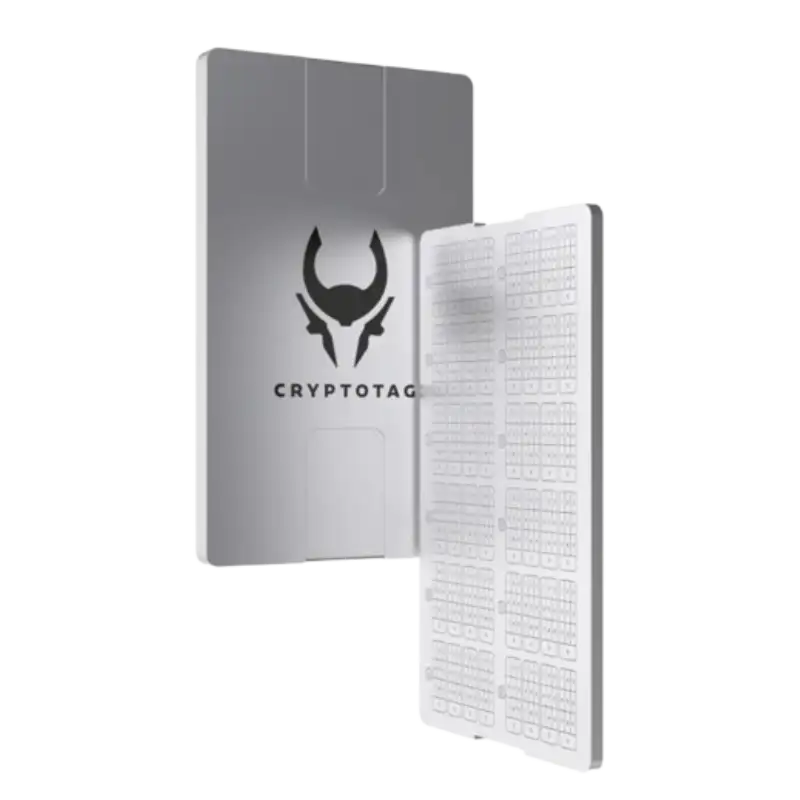
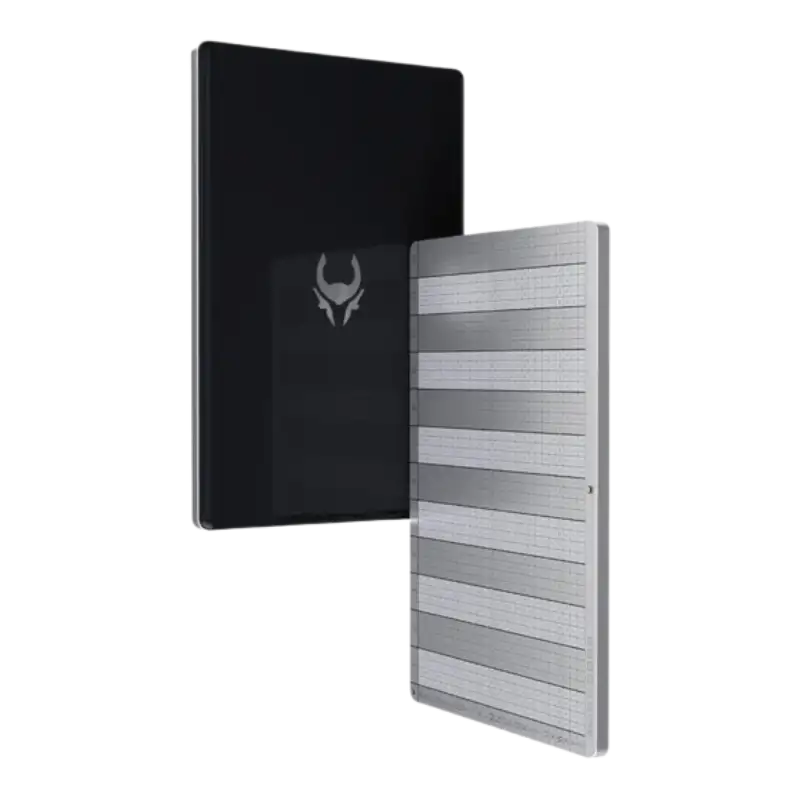
For larger holdings, a metal backup is worth considering. It does not make the wallet more secure against phishing or bad transactions, but it can protect the recovery words from physical damage. That is especially relevant for a device like the Model One, where the backup is the real long-term safety net.
The Model One’s backup system is not flashy, but it is reliable if handled properly. For a simple cold wallet, that may be enough. The main risk is not that the recovery process is too weak. It is that the user treats the backup casually.
Pricing and Value
Pricing is where the Trezor Model One needs the most caution. When it was available directly from Trezor, it was the affordable entry point into the Trezor ecosystem. Now that official e-shop sales have ended, the value depends on reseller pricing, device condition, and how close the price is to the Trezor Safe 3.
Trezor says the Model One and Model T are no longer available through its e-shop as of January 8, 2026, though remaining units may still be available from official resellers for a limited time. That means buyers should treat seller trust as part of the price. A cheap hardware wallet from an unclear seller is not a good deal if the device has been opened, initialized, or tampered with.
The main comparison is now Trezor Safe 3. Trezor’s own Model One page says the Model One is no longer sold and that its “spirit lives on” in the Trezor Safe 3. Safe 3 gives buyers a current Trezor model with Secure Element protection, USB-C, and the same broader Trezor Suite ecosystem.
| Situation | Better Decision |
|---|---|
| You already own a working Model One | Keep using it if your backup is safe and it fits your needs |
| Model One is sealed and heavily discounted | Worth considering from a trusted reseller |
| Model One is priced close to Safe 3 | Choose Safe 3 instead |
| Model One is used or already initialized | Avoid it |
| You want USB-C and newer security hardware | Choose Safe 3 |
| You want a touchscreen | Compare Safe 5 |
| You want the premium Trezor option | Compare Safe 7 |
The Model One’s value is strongest for people who already own it. If the wallet works well and your backup is safe, replacing it immediately may not be necessary. Trezor’s support timeline gives existing users enough room to keep using the device without rushing.
As a new purchase, the Model One needs to win clearly on price. A small discount is not enough if Safe 3 is close by. The older wallet only makes sense when the reseller is trusted, the unit is sealed, and the price is meaningfully lower than Trezor’s current budget model.
Competition: Trezor Model One vs Safe 3, Safe 5, Safe 7, and Ledger
The Trezor Model One now competes less as a budget bargain and more as older supported hardware. That changes the comparison. The main question is not whether the Model One can still store crypto safely. It can. The question is whether it still deserves your money when newer entry-level wallets exist.
The closest comparison is the Trezor Safe 3. It is the current budget-friendly Trezor wallet and the most natural replacement for the Model One. Trezor’s Model One page says the device is no longer sold and points users toward Safe 3, which makes the positioning clear: if you wanted Model One because it was the affordable Trezor option, Safe 3 is now the place to look first.
Safe 3 also feels more current in the areas where the Model One shows its age. It uses USB-C, adds Secure Element protection, and keeps the same Trezor Suite ecosystem. For most new buyers, that is enough to make Safe 3 the cleaner choice unless the Model One is much cheaper from a trusted reseller.
Safe 5 is the better comparison if the buyer wants a touchscreen. The Model One’s two-button design is fine for basic cold storage, but it feels slow beside a touchscreen wallet. Safe 5 costs more, but it also gives a smoother experience for passphrases, confirmations, and regular wallet use.
Safe 7 sits at the premium end of Trezor’s lineup. It is not the natural replacement for the Model One, but it belongs in the comparison for users who want the newest Trezor hardware instead of the cheapest one. If someone is buying for the long term and wants the strongest current Trezor experience, Safe 7 makes more sense than trying to save money on discontinued stock.
Ledger Nano S Plus is the main outside alternative. It is also a lower-cost hardware wallet, but it comes from Ledger’s ecosystem, which uses a Secure Element chip and Ledger OS. Ledger describes the Nano S Plus as powered by a Secure Element chip, Ledger OS, and a Trusted Display screen.
| Wallet | Best Reason |
|---|---|
| Trezor Safe 3 | Current budget Trezor wallet with USB-C and newer hardware direction |
| Trezor Safe 5 | Better if you want a touchscreen and smoother passphrase use |
| Trezor Safe 7 | Premium Trezor option for buyers who want the newest model |
| Ledger Nano S Plus | Lower-cost Ledger option with Secure Element and Ledger ecosystem |
| Ledger Nano X | Better fit if Bluetooth and mobile convenience matter more |
The Model One still has a place, but mainly for existing owners or buyers who find sealed reseller stock at a price that is clearly lower than Safe 3. If the discount is small, the newer wallet wins. If the device is used, opened, or already initialized, the deal should be avoided completely.
This is where the Model One’s age matters most. It is still respected hardware, but it no longer owns the entry-level Trezor position. Safe 3 does.
Who Should Still Use the Trezor Model One?
The Trezor Model One still makes sense for people who already own it and use it for simple cold storage. If your device works properly, your recovery backup is safe, and your portfolio mostly includes supported major assets, there is no urgent need to replace it just because Trezor has moved the lineup forward.
It is also still a reasonable wallet for users who prefer a basic setup. Not everyone needs a touchscreen, Bluetooth, or a premium device. Some people only want a cold wallet they can connect when needed, confirm transactions on the screen, and store safely when they are done. For that kind of use, the Model One still has value.
The wallet is a better fit for desktop users than mobile-first users. If you already manage crypto from a laptop or desktop through Trezor Suite, the Model One can still feel familiar and predictable. It may not be smooth by current hardware standards, but it remains understandable.
It also suits people who value Trezor’s original open-source approach. The Model One is old hardware now, but it still represents the simple Trezor idea: keep private keys offline, show important details on the device, and let the user control the backup.
An upgrade becomes more sensible when the wallet starts limiting how you use crypto. If you want USB-C, newer security hardware, better asset flexibility, a smoother passphrase experience, or a current budget Trezor model, the Safe 3 is the clearer path. But if your Model One is still doing the job, replacing it immediately may not be necessary.
Who Should Avoid Buying It Now?
The Trezor Model One is not the best choice for most people buying their first hardware wallet today. It can still work, but the buying case is narrower now that Trezor Safe 3 has taken over the entry-level position in Trezor’s current lineup.
You should avoid the Model One if the reseller price is close to the Safe 3. In that situation, the newer wallet is usually the better decision because it gives you USB-C, Secure Element protection, and a more current support path without leaving the Trezor ecosystem.
It is also not ideal for people who want a smoother wallet experience. The two-button design is fine for basic confirmations, but it feels slow compared with touchscreen wallets. If you expect to use passphrases often, manage crypto more actively, or want a wallet that feels easier in daily use, the Safe 5 is a better comparison.
You should also avoid used, opened, or already-initialized Model One units. A hardware wallet is not a normal second-hand gadget. If someone else has handled the setup or seen the recovery words, the discount is not worth the risk.
The Model One is also less suitable for mobile-first users, especially anyone who wants to set up and manage everything from an iPhone. This wallet fits better into a desktop-based crypto routine.
In short, avoid buying the Trezor Model One now unless the unit is sealed, the seller is trusted, and the price is clearly lower than the Safe 3. Otherwise, the newer budget Trezor wallet makes more sense.
Moving crypto to a hardware wallet helps with custody, but it does not automatically organize your tax records. If you trade, transfer between wallets, or use multiple exchanges, crypto tax software can help track those transactions before tax season.
Coinpanda

Coin Ledger

Koinly

Final Verdict: Is the Trezor Model One Still Worth It?
The Trezor Model One is still worth using, but it is no longer the best Trezor wallet for most new buyers.
That may sound like a small difference, but it is the main point of this review. The Model One still does the basic cold-storage job well. It keeps private keys offline, works with Trezor Suite, requires physical confirmation, and remains supported with basic maintenance until at least 2031 and critical security updates until at least 2036.
For existing owners, that support timeline matters. If your Model One works properly, your recovery backup is safe, and your crypto needs are simple, there is no urgent reason to replace it. A newer wallet may feel better, but replacing a working hardware wallet should be a practical decision, not a reaction to a product being discontinued.
For new buyers, the answer is different. The Model One only makes sense if you find sealed stock from a trusted reseller at a clearly lower price than the Trezor Safe 3. If the price is close, Safe 3 is the easier recommendation because it is the current budget Trezor option, with USB-C, Secure Element protection, and better long-term relevance. Trezor’s own Model One page now points users toward Safe 3 as the newer alternative.
The Model One deserves respect for what it did for self-custody. It helped make hardware wallets simpler and more affordable for everyday crypto users. But as a fresh purchase today, it has to be judged against the current lineup.
Final call: keep the Trezor Model One if you already own it and it fits your needs. If you are buying your first Trezor wallet today, compare the Trezor Safe 3 first.
Frequently Asked Questions [FAQs]
Yes. Trezor has discontinued the Model One from its official e-shop. Official e-shop sales for the Model One and Model T ended on January 8, 2026, though Trezor says remaining units may still be available from official resellers for a limited time.
Yes, the Trezor Model One is still safe to use if the device is genuine, working properly, and your recovery backup is secure. Trezor says the Model One will continue receiving basic maintenance until at least 2031 and critical security updates until at least 2036.
Trezor says the Model One will receive basic maintenance until at least 2031 and critical security updates until at least 2036. However, new coin support is not promised for Model One in the same way it is for Model T, and Trezor has noted that future standards may be limited by Model One’s older hardware.
You cannot buy the Model One directly from Trezor anymore. It may still be available from official resellers for a limited time, but buyers should be careful. Only consider sealed units from trusted sellers, and avoid anything used, opened, or already initialized.
No. A used hardware wallet is not worth the risk. If someone else has handled the setup, seen the recovery words, or tampered with the device, the wallet cannot be trusted. Hardware wallets should be bought sealed and initialized by the owner.
For most new buyers, no. The Model One is still useful, but the Trezor Safe 3 is the better current budget option. It offers USB-C, Secure Element protection, and a newer hardware direction while keeping the Trezor Suite experience.
It can be good for beginners who already own it or find sealed reseller stock at a very low price. The setup is simple enough for basic cold storage, but new buyers should usually compare the Safe 3 first because it is newer and easier to recommend today.
The Model One supports many common assets, but support varies by coin, network, and wallet app. It is best for simple portfolios with major assets. If you hold smaller tokens, DeFi positions, or newer chains, check Trezor’s supported coins page before buying or transferring funds.
The Model One is not a good fit for iPhone-first users. Trezor’s setup guidance says Model One setup is done through Trezor Suite Desktop, while Android users can use the Trezor Suite web app. iPhone users cannot set up the Model One because iOS does not support USB connections for Trezor devices.
Not urgently. If your Model One works well, your recovery backup is safe, and your crypto needs are simple, you can keep using it. An upgrade makes more sense if you want USB-C, Secure Element protection, better long-term relevance, or a smoother experience with a newer model like the Safe 3 or Safe 5.
The best direct alternative is the Trezor Safe 3. It is the current budget-friendly Trezor wallet and the natural replacement for the Model One. If you want a touchscreen, compare the Trezor Safe 5. If you want the most premium Trezor option, compare the Trezor Safe 7.


