

When it comes to safeguarding your crypto assets, few names carry as much trust as Trezor. The Trezor Safe 3 is positioned as a more affordable, streamlined sibling to the Trezor Safe 5, designed to offer the same uncompromising focus on open-source transparency and security while keeping the entry cost approachable. For many investors, this balance of security, simplicity, and price makes the Safe 3 an appealing pick, especially if you’re just beginning to take control of your digital assets outside of exchanges.
Unlike software wallets or custodial solutions that keep you tied to third parties, the Safe 3 gives you direct ownership of your private keys. That alone shifts the security conversation; it’s not about whether you can trust an exchange anymore, but whether you can trust the device in your hands. And this is where Trezor’s reputation for open-source firmware, auditable code, and community-backed security really sets it apart.
But there’s also a strategic decision to make: Is Safe 3 enough for your needs, or should you look at the Safe 5 or Ledger alternatives like Nano S Plus or Nano X? The Safe 3 doesn’t have all the bells and whistles; it’s built for reliability, not feature overload. For users who want a strong foundation without overpaying, it may be exactly the right fit. For others with larger portfolios, frequent DeFi activity, or higher expectations of durability, the question of whether to spend a little more is worth exploring.
This review will walk you through everything you need to know from design and build to security features, supported coins, usability, and competition, so you can confidently decide if the Trezor Safe 3 should be your go-to hardware wallet.
Investographer may earn a commission if you buy through links on this page, at no extra cost to you. This review is educational and should not be treated as financial, investment, or tax advice. For more information, read our full Affiliate Disclosure.
Quick Summary
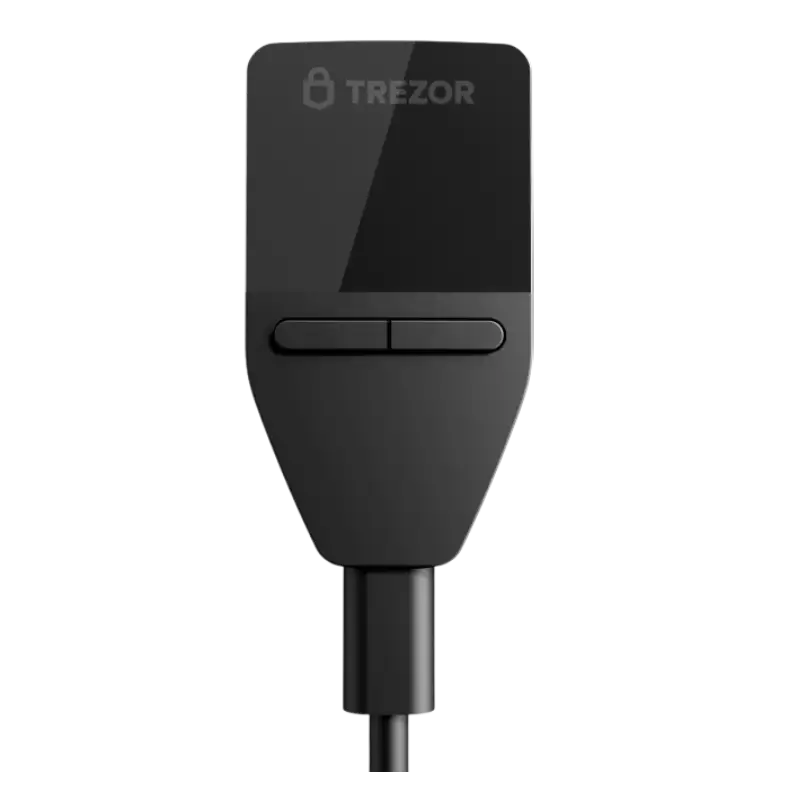
In short, the Trezor Safe 3 delivers what most crypto investors actually need: a reliable, transparent, and beginner-friendly hardware wallet at a price that feels approachable. It strips away the luxury features of the Safe 5 and higher-end Ledger models but keeps the fundamentals intact: secure key storage, broad crypto support, Trezor Suite, passphrase protection, and open-source confidence.
The most important update is backup support. Safe 3 should no longer be described as a wallet without Shamir Backup or advanced recovery options. Trezor now lists Safe 3 with Advanced Multi-share Backup, along with 12-, 20-, and 24-word wallet backup support.
| Feature | Trezor Safe 3 |
|---|---|
| Positioning | Affordable current Trezor hardware wallet |
| Security | Secure Element EAL6+, PIN, passphrase, on-device entry |
| Design | Lightweight plastic body, compact size, two-button navigation |
| Supported Coins | Thousands of coins and tokens |
| Compatibility | Trezor Suite, desktop support, Android support, limited iOS use |
| Backup Options | 12-, 20-, and 24-word wallet backup; Advanced Multi-share Backup |
| Best For | Beginners, budget-conscious users, and long-term holders |
| Main Upgrade | Trezor Safe 5 for touchscreen comfort |
| Premium Upgrade | Trezor Safe 7 for stronger mobile convenience |
The Good
The Bad
Check Out Crypto Backup Tools,
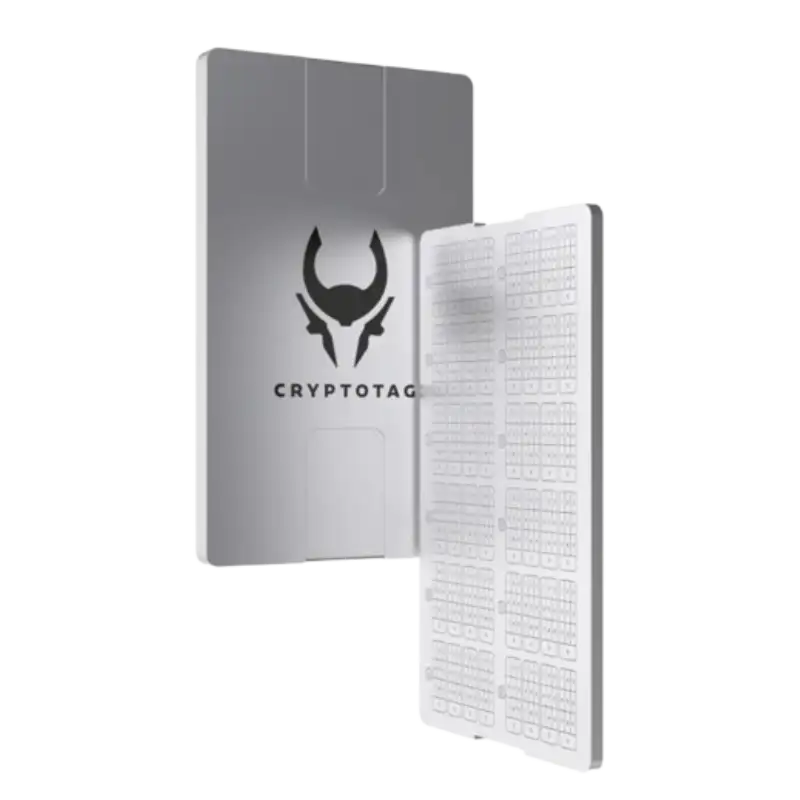
Cryptotag Zeus
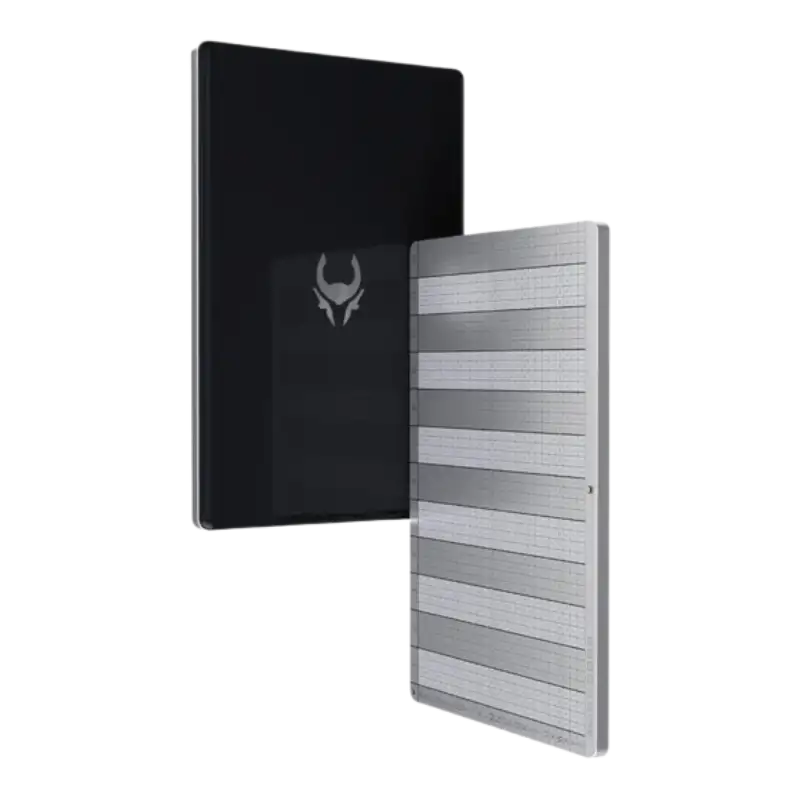
Cryptotag Loki
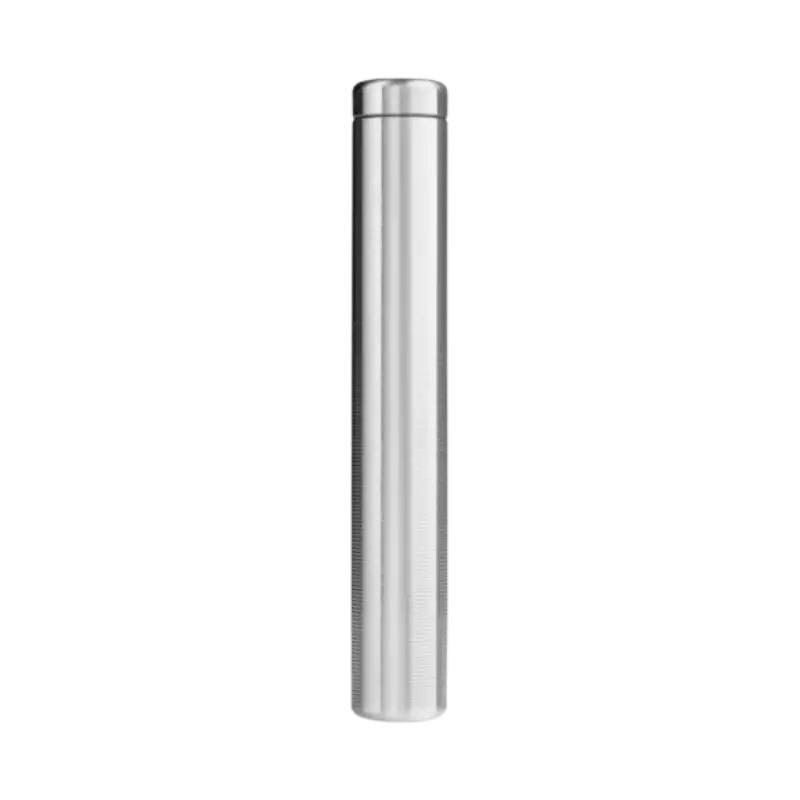
Capsule Solo
The Billfodl
Design and Build Quality
The Trezor Safe 3 is built with practicality in mind, not luxury. At first glance, its compact and lightweight design makes it highly portable, slipping easily into a drawer, pouch, or safe without drawing attention. The body is made of durable plastic, which keeps the price approachable but also signals the wallet’s role as a practical, entry-level device.
Compared to the Trezor Safe 5, which has a more premium feel because of its color touchscreen, Gorilla Glass, and haptic feedback, the Safe 3 feels more minimalist. It is functional rather than premium, and that is not necessarily a weakness. A hardware wallet does not need to look expensive to protect your crypto well.
Navigation is straightforward, relying on two physical buttons rather than a touchscreen. This approach may feel basic, but it has advantages. Buttons are simple, predictable, and easy to understand for users who just want clear tactile feedback. While you do not get the sleek look of devices like the Ledger Stax with its e-ink display, Safe 3 delivers reliability through simplicity.
The device also uses USB-C, which is a welcome improvement over older wallets like the Trezor Model One. It makes the wallet feel current and easier to connect with modern laptops and Android devices. The screen is modest and monochrome, but it does its job effectively by displaying addresses, transaction confirmations, and security prompts clearly enough to verify before approving.
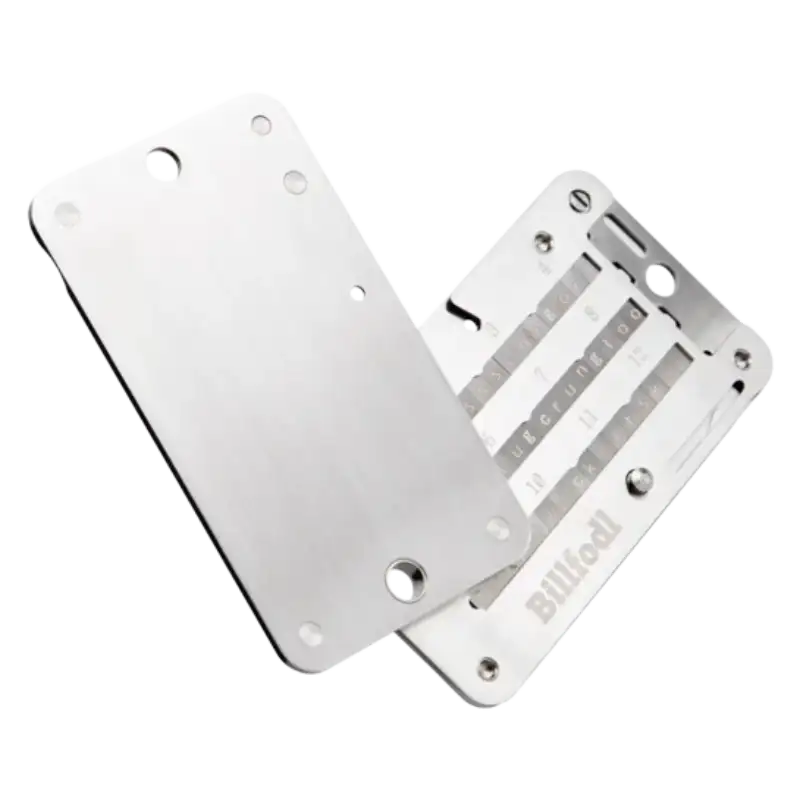
For long-term holders, the plastic build may not inspire the same confidence as a metal-clad device or a steel backup setup like Billfodl, Cryptosteel Capsule Solo, or Cryptotag Zeus, but the core durability is sufficient for careful users. In short, Safe 3’s design philosophy is not to impress, but to reassure: it is compact, functional, and built to keep your crypto safe without unnecessary extras.
Security Features
Security is where Trezor has built its reputation, and the Safe 3 carries that legacy forward while also modernizing the entry-level Trezor experience. Even though it is the more affordable sibling in the current lineup, Trezor does not strip away the fundamentals that matter most to users securing digital assets.
At the heart of the Safe 3 is a Secure Element Certified Chip rated EAL6+. This gives the wallet stronger hardware-level protection than older Trezor entry models, while Trezor still keeps its open-source security and design identity. That balance matters because many users choose Trezor specifically because they prefer transparent, auditable systems over closed security claims.
The wallet also enforces PIN and passphrase protection, which serve as key defenses against unauthorized access. The optional passphrase feature adds another layer of protection, especially for users who want separate hidden wallets or stronger security around larger holdings. But it should be used carefully. If you forget a passphrase, that wallet may not be recoverable.
Trezor Safe 3 also supports on-device entry and confirmation, which helps keep sensitive actions away from the computer or phone you are using to manage the wallet. The device screen is where you confirm what matters: addresses, transactions, and prompts. That physical confirmation is one of the main reasons hardware wallets remain safer than leaving funds only in browser wallets or exchanges.
The biggest correction from older Safe 3 content is backup support. The Safe 3 now supports Advanced Multi-share Backup, so it should not be described as lacking Shamir Backup anymore. This means Safe 3 is no longer just the basic wallet that misses advanced recovery tools; the difference between Safe 3 and Safe 5 is now more about comfort, touchscreen use, and premium feel.
In practice, the Safe 3’s security stack is ideal for individual users, beginners, and long-term investors who want strong protection without navigating a luxury device. It is secure enough for serious cold storage, but still approachable enough for someone buying their first hardware wallet.
Supported Cryptocurrencies
One of the biggest reasons investors choose hardware wallets is coin flexibility, and the Trezor Safe 3 covers the kind of portfolio most users want to secure. Trezor says its ecosystem supports thousands of coins and tokens, and its supported coins page lets users check support by device, app, sending, receiving, trading, and staking.
That last part is important. Instead of relying only on a big asset-count number, users should check whether their specific coin or token works with Safe 3, whether it is supported inside Trezor Suite, and whether a third-party wallet app is needed.
For most investors, Safe 3 is more than capable. Bitcoin, Ethereum, stablecoins, ERC-20 tokens, and major altcoins are the kind of assets most hardware wallet buyers care about. When paired with Trezor Suite, the wallet gives a clean experience for common holdings. For certain coins or advanced use cases, you may need third-party integrations.
Compared to the Trezor Safe 5, the Safe 3 does not give up much from a coin-support point of view. The difference is more about how you interact with those coins. Safe 5’s touchscreen makes it easier to verify long addresses, enter passphrases, and navigate the device. Safe 3 gives you similar broad support, but with a simpler two-button experience.
| Wallet | Supported Assets | Notable Strengths | Limitations |
|---|---|---|---|
| Trezor Safe 3 | Thousands of coins and tokens | Strong Trezor support, open-source identity, good beginner fit | Some assets may require third-party apps |
| Trezor Safe 5 | Thousands of coins and tokens | Same Trezor ecosystem with easier touchscreen use | Higher cost |
| Ledger Nano S Plus | Broad crypto support | Strong app ecosystem at a lower price | Closed-source elements in Ledger’s model |
| Ledger Nano X | Broad crypto support | Bluetooth and stronger mobile convenience | Higher price and closed-source model |
For most investors, Safe 3 provides all the breadth of support needed for long-term storage. Unless your portfolio includes highly niche coins, frequent DeFi activity, or unusual networks, you are unlikely to feel limited by the wallet itself.
User Experience
The Trezor Safe 3 is designed to make crypto self-custody approachable, even for users who have never handled a hardware wallet before. From the first setup, Trezor’s guiding philosophy comes through: simplicity without making the user feel like they are giving up control.
The process starts with connecting the device and using Trezor Suite, the official companion software. Trezor Suite is available for desktop systems like Windows, macOS, and Linux, and Trezor’s mobile support currently works better on Android than iOS for devices like Safe 3. Trezor says Safe 7 has full compatibility on both iOS and Android, while Safe 3 has full compatibility on Android but more limited iOS use.
During setup, users create a PIN and set up their wallet backup. The instructions are clear, and first-time users should find the process manageable if they take their time. The two-button navigation system is not flashy, but it keeps the process simple and leaves less room for unnecessary distraction.
Day-to-day management through Trezor Suite is where the wallet feels strongest. The dashboard gives users a clean way to view assets, manage accounts, send and receive coins, and check transactions. Addresses can be verified on the device before approval, which is one of the habits hardware wallet users should build early.
Compared to competitors, Safe 3 balances simplicity with flexibility. The Ledger Nano X offers Bluetooth for mobile convenience, but some users prefer Trezor’s wired-first model because it feels more controlled. The Trezor Safe 5 is easier for frequent use because of the touchscreen, but it costs more. Safe 3 is ideal for someone who values reliability, clarity, and no-nonsense interaction.
In everyday use, the Safe 3 does not try to impress you with features. It tries to protect you from mistakes. That alone makes it one of the more user-friendly wallets for new and cautious crypto holders.
Compatibility
The Trezor Safe 3 is built to work across major desktop operating systems and with a broad range of wallet tools. Officially, Trezor Suite supports desktop use, and Android users get stronger compatibility than iPhone users for Safe 3. Trezor’s current guidance says Safe 5, Safe 3, Model T, and Model One have full compatibility on Android, while Safe 7 is the model with full compatibility on both iOS and Android.
Beyond Trezor Suite, Safe 3 can work with third-party wallets and apps. Trezor says its devices work with a wide range of third-party wallets and services, which helps users connect to DeFi apps, NFT tools, and other wallet interfaces while keeping private keys protected by the hardware wallet.
Compared to competitors, Safe 3 sits in a comfortable middle ground. The Ledger Nano X is more convenient for mobile-heavy users because of Bluetooth, especially for people who rely on phones often. But for users who prefer a wired, simpler security model, Safe 3 still feels more straightforward.
| Wallet | Desktop Support | Mobile Fit | Third-Party Wallets | Best Compatibility |
|---|---|---|---|---|
| Trezor Safe 3 | Windows, macOS, Linux via Trezor Suite | Best for Android; limited iOS | Broad third-party support | Wired, simple, Trezor-focused setup |
| Trezor Safe 5 | Windows, macOS, Linux via Trezor Suite | Best for Android; limited iOS | Similar to Safe 3 | Same ecosystem with easier touchscreen use |
| Ledger Nano S Plus | Desktop support through Ledger Live | Android via cable | Broad app ecosystem | Affordable Ledger alternative |
| Ledger Nano X | Desktop support through Ledger Live | Stronger phone use with Bluetooth | Broad app ecosystem | Better for mobile-first users |
Overall, Safe 3 gives wide coverage without complicating the experience too much. If you want a wallet that works across desktop systems, connects with DeFi tools when needed, and maintains a simple wired approach, it checks the important boxes. For heavy mobile users, especially iPhone-first users, Ledger Nano X or Trezor Safe 7 may feel more convenient.
Backup and Recovery Options
A hardware wallet is only as strong as its backup system, and this is where the Trezor Safe 3 needs an important factual update. Older versions of Safe 3 reviews often described it as limited to standard recovery seed backups and lacking Shamir Backup. That is no longer the right framing.
Trezor now lists the Safe 3 with 12-, 20-, and 24-word wallet backup support and Advanced Multi-share Backup. This gives users more flexibility than the old “basic wallet” label suggests.
For most users, a standard wallet backup is still the simplest path. During setup, you write down the backup and store it safely offline. If the device is lost, stolen, damaged, or replaced, that backup lets you restore access to your funds on a compatible wallet.
Advanced Multi-share Backup is more useful for users who want extra redundancy. Instead of relying on one backup in one location, users can split recovery across multiple shares. This can reduce the risk of a single backup being lost, stolen, or destroyed, but it also adds planning responsibility.
This update changes the Safe 3 vs Safe 5 comparison. Safe 5 is still better for comfort because of its touchscreen, but Safe 3 should no longer be dismissed as missing advanced recovery options. The difference is now more about user experience, not core backup capability.
For users seeking extra physical resilience, Safe 3 pairs well with metal backup tools like Cryptotag Zeus, Billfodl, or Cryptosteel Capsule Solo. These help protect backup words from fire, water, and physical damage. For long-term holders, that matters because the recovery backup is often more important than the device itself.
In practical terms, Safe 3’s backup system is strong enough for most users and flexible enough for more serious holders. The key is not just which backup method you choose, but whether you store it in a way that can survive real-world accidents.
Pricing and Value
The Trezor Safe 3 is priced at USD 59, making it the most affordable active hardware wallet in Trezor’s current lineup. At this price, it sits in a strong position for users who want serious self-custody without paying extra for a touchscreen, Bluetooth, or premium materials.
What you are paying for is not luxury hardware. The real value sits in the security stack: Secure Element protection, open-source design, PIN and passphrase support, Trezor Suite, USB-C, broad crypto support, and Advanced Multi-share Backup. For a wallet at USD 59, that is a strong mix.
This price also matters more now because the older Trezor Model One has been discontinued from Trezor’s official e-shop. Some remaining Model One stock may still appear through resellers, but Safe 3 is the cleaner starting point for most new buyers because it is current hardware with better long-term relevance.
At USD 59, the Safe 3 no longer feels like a stripped-down wallet. It is affordable, but not barebones. For beginners and long-term holders, it offers enough security, usability, and backup flexibility to make premium wallets optional rather than necessary.
For users who are budget-conscious but unwilling to compromise on transparency and trust, the Trezor Safe 3 is one of the strongest value picks in the hardware wallet market.
Who Should (and Shouldn’t) Buy Trezor Safe 3?
When choosing a hardware wallet, the decision is not just about features. It is about whether the device fits your usage habits, risk profile, and investment approach.
Who Should Buy Trezor Safe 3?
- First-time hardware wallet users who want a simple and affordable entry into self-custody.
- Long-term holders storing Bitcoin, Ethereum, stablecoins, and major crypto assets.
- Budget-conscious investors who want strong security at USD 59.
- Trezor ecosystem users who prefer open-source transparency and Trezor Suite.
- Model One buyers who want a current Trezor wallet instead of discontinued hardware.
- Careful DeFi or NFT users who are comfortable using third-party wallet apps when needed.
Who Shouldn’t Buy Trezor Safe 3?
- Active traders who move assets frequently and want faster navigation.
- Heavy passphrase users who may prefer the touchscreen experience of Trezor Safe 5.
- iPhone-first users who want stronger mobile convenience.
- Premium-device buyers who want better materials, touchscreen comfort, or Bluetooth.
- Users with very complex portfolios who may prefer comparing Ledger’s app ecosystem.
- Design-focused buyers who want a more polished device like Ledger Stax or Safe 5.
In essence, the Safe 3 is best suited for everyday crypto investors who want trusted security at an approachable price. Those with more advanced needs, larger sums at stake, or specific comfort requirements may want to explore Trezor Safe 5, Trezor Safe 7, or Ledger alternatives.
Competition Analysis
The hardware wallet market is competitive, with Ledger and Trezor still leading much of the conversation. The Trezor Safe 3 finds its place as an affordable, secure, and open-source option, but understanding how it stacks up against rivals helps clarify whether it is the right pick.
| Wallet | Price | Key Strengths | Limitations | Best For |
|---|---|---|---|---|
| Trezor Safe 3 | USD 59 | Secure Element, open-source design, USB-C, Multi-share Backup | No touchscreen, limited iOS compared with Safe 7 | Beginners, long-term holders, budget-conscious users |
| Trezor Safe 5 | USD 129 | Color touchscreen, easier passphrase use, premium feel | Higher cost | Users who want comfort without leaving Trezor |
| Trezor Safe 7 | USD 249 | Premium Trezor option, Bluetooth, stronger mobile convenience | Overkill for many beginners | Users who want Trezor’s top-end device |
| Ledger Nano S Plus | USD 59 | Affordable Ledger option, strong app ecosystem | No Bluetooth, different trust model | Budget users who prefer Ledger Live |
| Ledger Nano X | USD 99 | Bluetooth, better mobile use, Ledger ecosystem | Higher price, no touchscreen | Mobile-first users and frequent wallet users |
| Ledger Stax | USD 399 | Premium e-ink touchscreen, sleek design | Expensive and unnecessary for many | Design-focused buyers and high-net-worth users |
Analysis:
The strongest argument for Safe 3 is value. At USD 59, it gives most users the security features they actually need, while Safe 5 mainly adds comfort and Safe 7 adds premium mobile convenience. If your goal is long-term storage, Safe 3 is hard to ignore.
Ledger still matters in this comparison. The Ledger Nano S Plus is the closest budget alternative, while the Ledger Nano X is stronger for users who want Bluetooth and better mobile use. Ledger’s ecosystem also supports a wide range of assets, but users who prefer Trezor often do so because of Trezor’s open-source identity and simpler security philosophy.
In short, Safe 3 competes by offering the best price-to-security balance in Trezor’s current lineup. Safe 5 is the comfort upgrade, Safe 7 is the premium upgrade, and Ledger is worth comparing if mobile convenience or Ledger Live matters more to you.
Wrapping up: Buy the Trezor 3 for your Crypto?
The Trezor Safe 3 succeeds by sticking to what matters most: protecting your crypto with strong, transparent security at a fair price. It does not try to compete with luxury hardware wallets on looks or convenience. Instead, it leans on Secure Element protection, open-source design, Trezor Suite, wide crypto support, and modern backup options.
That said, the Safe 3 is not for everyone. If you want touchscreen navigation, smoother passphrase entry, or stronger iPhone-first convenience, you may outgrow it quickly and find a better match in the Trezor Safe 5, Trezor Safe 7, or Ledger Nano X.
But if your goal is to store assets safely without overpaying for extras you may rarely use, Safe 3 strikes an ideal balance. It embodies Trezor’s philosophy of making self-custody accessible without making security feel out of reach.
For the majority of everyday crypto holders, the Safe 3 provides enough security, usability, and backup flexibility to become a reliable long-term wallet.
Moving crypto to a hardware wallet helps with custody, but it does not automatically organize your tax records. If you trade, transfer between wallets, or use multiple exchanges, crypto tax software can help track those transactions before tax season.
Moving crypto to a hardware wallet helps with custody, but it does not automatically organize your tax records. If you trade, transfer between wallets, or use multiple exchanges, crypto tax software can help track those transactions before tax season.
Coinpanda

Coin Ledger

Koinly

Frequently Asked Questions [FAQs]
Yes, Trezor Safe 3 is worth it for beginners, long-term holders, and budget-conscious investors who want a current Trezor hardware wallet without paying for a touchscreen.
Yes. Trezor Safe 3 now supports Advanced Multi-share Backup, so older claims that it lacks Shamir Backup are outdated.
Yes. Trezor devices can work with third-party wallet apps, including popular tools used for DeFi and Web3 activity.
It depends on what you value. Safe 3 is better if you prefer Trezor’s open-source identity and Trezor Suite, while Ledger Nano S Plus is better if you prefer Ledger Live and Ledger’s ecosystem.
Safe 3 has limited iOS use compared with Safe 7. Trezor’s current compatibility guidance makes Safe 3 a better fit for desktop and Android users, while Safe 7 is the better Trezor option for full iOS and Android compatibility.
Your crypto can be recovered using your wallet backup on another compatible Trezor or wallet. The device can be replaced, but the backup must be stored safely offline.
No. For physical backup protection, pairing it with metal backup tools like Billfodl, Cryptosteel, or Cryptotag is recommended.
No. Safe 3 uses a wired USB-C connection. If you want Bluetooth, compare Trezor Safe 7 or Ledger Nano X.
Both are strong hardware wallets. Safe 5 mainly adds a better screen and smoother user experience, while Safe 3 now also supports Advanced Multi-share Backup. The difference is more about comfort than basic security.
Did we help you out? Show us some support:
Ethereum Address
0xE7D047f1FA287f4ad298864535a62E45E789b445
Bitcoin Address
bc1q84w4qvaz5a2wne9xlf799s8we4q64a2yrttet8
Solana Address

52wokPhAncfZwGtTCHMycXGKKKAPENBw5yFTMewmpHQz


