

When it comes to hardware wallets, the Trezor Safe 7 is Trezor’s biggest step into the premium category. It is not trying to be the cheapest way to move crypto off exchanges. That role belongs to the Trezor Safe 3. It is also not just a touchscreen upgrade like the Trezor Safe 5. The Safe 7 is built for users who want Trezor’s security philosophy with a more modern, wireless, mobile-friendly experience.
This matters because hardware wallets are no longer only judged by whether they keep private keys offline. Serious users now care about how the device feels, how it connects, how it handles mobile use, how durable it is, and whether its security model is built for the next decade. The Safe 7 answers those expectations with Bluetooth connectivity, wireless charging, a 2.5-inch high-resolution touchscreen, aluminum unibody, IP54 protection, TROPIC01 secure chip, and quantum-ready security architecture.
But the buying decision is not simple. At USD 249, the Safe 7 costs far more than the Safe 3 at USD 59 and the Safe 5 at USD 129. That means it has to justify itself not only against Trezor’s own lineup, but also against devices like the Ledger Nano X, Ledger Stax, and premium backup setups using tools like Cryptotag Zeus, Cryptosteel Capsule Solo, or The Billfodl.
This review explains where the Trezor Safe 7 fits, what makes it different, who should buy it, and whether its premium wireless design is actually worth paying for.
Investographer may earn a commission if you buy through links on this page, at no extra cost to you. This review is educational and should not be treated as financial, investment, or tax advice. For more information, read our full Affiliate Disclosure.
Quick Summary
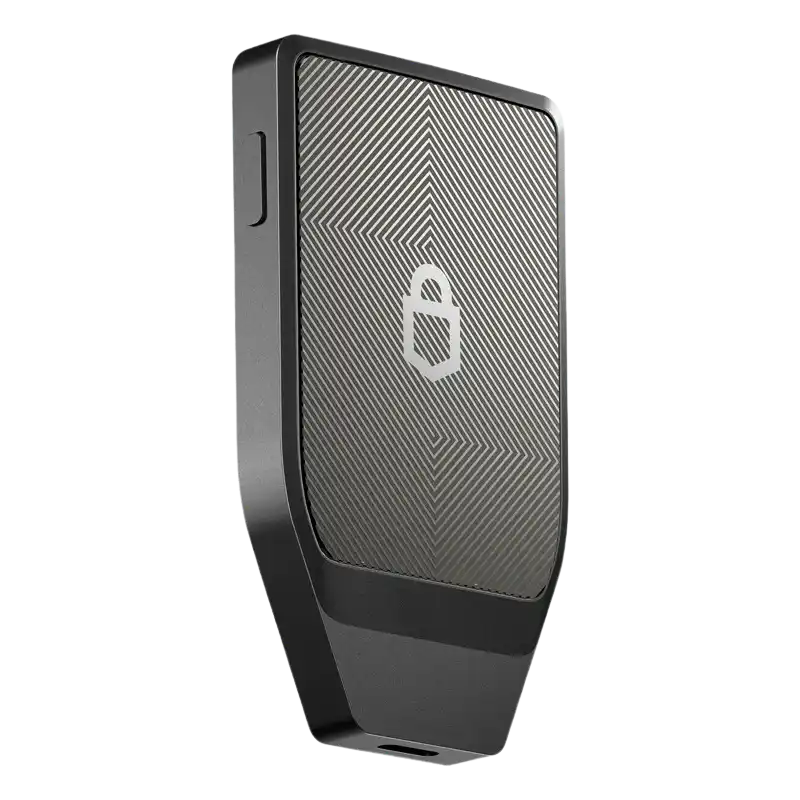
The Trezor Safe 7 is Trezor’s premium hardware wallet for users who want advanced security, wireless freedom, and a more polished device experience. It combines Trezor’s open-source identity with newer hardware choices: TROPIC01, an additional EAL6+ Secure Element, Bluetooth, Qi2-compatible wireless charging, and full iOS and Android support through Trezor Suite Mobile.
| Feature | Trezor Safe 7 |
|---|---|
| Price | USD 249 |
| Display | 2.5-inch high-resolution color touchscreen |
| Resolution | 520 × 380 pixels |
| Build | Aluminum unibody, reinforced glass, IP54 protection |
| Security | TROPIC01, OPTIGA Trust M EAL6+ Secure Element, STM32U5 MCU |
| Connectivity | USB-C and Bluetooth |
| Charging | USB-C and Qi2-compatible wireless charging |
| Battery | LiFePO₄ battery |
| Backup | Default 20-word SLIP39 Single-share Backup; Multi-share Backup available |
| Mobile Use | Full iOS and Android support |
| Best For | Premium users, mobile-first users, larger portfolios, long-term holders |
| Cheaper Alternatives | Trezor Safe 3, Trezor Safe 5 |
| Main Ledger Alternative | Ledger Nano X or Ledger Stax |
The Good
The Bad
Check Out Crypto Backup Tools,
Cryptotag Zeus
Cryptotag Loki
Capsule Solo
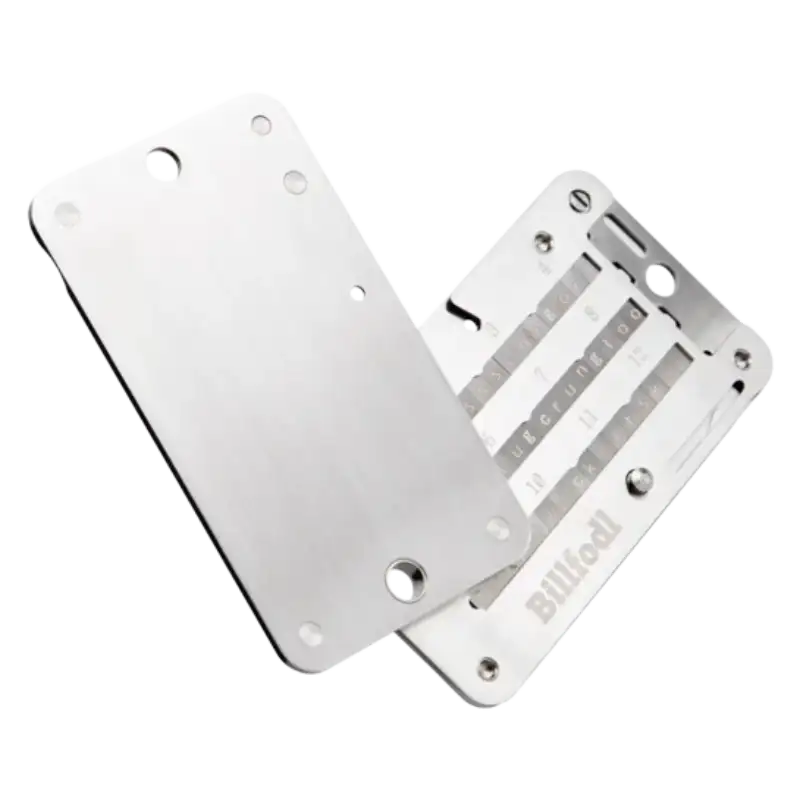
The Billfodl
Design and Build Quality
The first impression of the Trezor Safe 7 is that it feels like a very different class of Trezor wallet. The Safe 3 is practical. Safe 5 is comfortable. And Safe 7 is the one that finally feels premium.
Trezor gives it a machine-anodized aluminum unibody, reinforced glass, IP54-rated protection, and its largest touchscreen so far. The display is a 2.5-inch high-resolution color touchscreen with 520 × 380 pixels, making it much larger and clearer than the Safe 5’s 1.54-inch screen.
That larger screen changes the way the wallet feels. PIN entry, passphrase use, address checking, and transaction confirmation are easier because there is more room to read and interact. This is especially useful for users who manage larger portfolios, use multiple accounts, or approve transactions more often.
The aluminum body also matters. Earlier Trezor devices often felt practical but not luxurious. Safe 7 changes that. Compared to the Trezor Safe 5, it feels more durable and more modern. Compared to the Ledger Stax, it is still less design-experimental, but it feels much closer to the premium category than any older Trezor wallet.
The device also has IP54 protection, which means it is protected against dust and water spray, but it is not waterproof or built for full submersion. That is still useful for daily handling, travel, and storage, but users should not treat it like a rugged outdoor device.
For long-term holders, the design finally matches the seriousness of the product. Safe 7 is not just a security tool that feels like a small plastic accessory. It feels like a premium self-custody device built for years of use.
Security Features
Security is where the Trezor Safe 7 becomes more than a premium redesign. It introduces a more advanced hardware security model than Safe 3 and Safe 5, while still keeping Trezor’s open-source identity.
The biggest addition is TROPIC01, described by Trezor as an independently auditable secure element. Alongside TROPIC01, Safe 7 also includes OPTIGA Trust M, an EAL6+ certified NDA-free secure element, plus the STM32U5hardened security MCU. Trezor frames these as three hardware layers of security.
This matters because Trezor’s older criticism was that it leaned heavily on open-source transparency but did not always match Ledger’s secure-element messaging. Safe 7 changes that conversation. It gives users a stronger hardware security story while still staying closer to Trezor’s transparency-first philosophy.
The Safe 7 also includes quantum-ready security architecture. Trezor says the boot process, firmware updates, and device authentication are protected with post-quantum cryptography, including SLH-DSA-128 and ML-DSA-44. This does not mean your Bitcoin or Ethereum suddenly becomes quantum-proof by owning this device. Trezor itself notes that blockchains also need to upgrade before funds are fully protected from future quantum threats.
Bluetooth security is another important part of the Safe 7 story. Wireless connectivity can make hardware-wallet users nervous, but Trezor says Bluetooth and USB-C connections are protected by the open-source Trezor Host Protocol, which encrypts commands and transactions and helps prevent malicious interception or injection.
The Safe 7 still includes the core hardware wallet protections users expect: PIN protection, passphrase support, on-device confirmation, open-source security, and backup recovery. But compared to Safe 3 and Safe 5, it adds a more future-facing security layer.
In practical terms, the Safe 7 is best for users who want Trezor’s most advanced security direction, not just a nicer screen.
Supported Cryptocurrencies
The Trezor Safe 7 supports the same broad Trezor ecosystem that users expect from the Safe 3 and Safe 5. Trezor’s comparison page says most crypto assets are supported across all current Trezor devices, with some exceptions, and lists support for thousands of coins and tokens.
For most investors, that means Safe 7 is more than capable. Bitcoin, Ethereum, Solana, XRP, stablecoins, ERC-20 tokens, and many major assets can be managed through Trezor Suite or supported third-party apps, depending on the asset and network.
The important point is that Safe 7 does not mainly win because it supports more coins than Safe 5 or Safe 3. The bigger difference is how comfortably and flexibly you manage those coins. The large touchscreen, Bluetooth, and full mobile compatibility make the experience smoother, especially for users who move between desktop and phone.
| Wallet | Supported Assets | Strengths | Limitations |
|---|---|---|---|
| Trezor Safe 7 | Thousands of coins and tokens | Premium screen, mobile use, WalletConnect, third-party apps | High price |
| Trezor Safe 5 | Thousands of coins and tokens | Touchscreen comfort at lower price | Limited iOS compared with Safe 7 |
| Trezor Safe 3 | Thousands of coins and tokens | Lowest current Trezor price | Two-button navigation |
| Ledger Nano X | Broad crypto support | Bluetooth and Ledger Live ecosystem | Different trust model |
| Ledger Stax | Broad crypto support | Premium e-ink design | Expensive for most users |
For users with normal long-term portfolios, Safe 7 is not necessary just for coin support. It becomes attractive when the portfolio is large enough, active enough, or mobile enough to justify the better hardware experience.
User Experience
User experience is one of the biggest reasons to choose the Trezor Safe 7 over the Safe 5 or Safe 3. This is the first Trezor wallet that feels truly built for modern mobile self-custody.
The large touchscreen makes basic actions easier. Entering a PIN, switching wallets, checking addresses, confirming transactions, and managing passphrases all feel more natural on a 2.5-inch display. Haptic feedback also helps confirmations feel more deliberate and less uncertain.
The real upgrade, though, is wireless use. Safe 7 can connect to computers or mobile devices through secure Bluetooth, and Trezor says the wireless experience extends to both iOS and Android. That is a major difference from Safe 3 and Safe 5, which are much more limited for iPhone users.
Trezor Suite Mobile also becomes more useful with Safe 7. Trezor says iOS users can use Safe 7 with full Bluetooth functionality, while other Trezor models are limited to view-only mode on iOS. Android users can connect any Trezor by USB, but Safe 7 also supports Bluetooth there.
This makes Safe 7 the first Trezor wallet that can properly compete with the Ledger Nano X on mobile convenience. Ledger still has its own ecosystem advantages through Ledger Live, but Trezor now has a stronger answer for users who want wireless access without leaving Trezor’s open-source philosophy.
In everyday use, Safe 7 feels less like a cold-storage tool you only pull out occasionally and more like a premium security device you can actually use across devices. That is the real user-experience upgrade.
Compatibility
The Trezor Safe 7 is the most compatible Trezor wallet for users who move between desktop and mobile. It works with major desktop systems through Trezor Suite, but its biggest advantage is full mobile support through Bluetooth.
Trezor’s mobile guidance is clear: Safe 7 supports full functionality on iOS through Bluetooth, while other Trezor models are limited to view-only mode on iOS. On Android, Safe 7 can connect through Bluetooth or USB-C, while other models rely on USB.
Safe 7 also works with third-party wallet apps, dApps, DeFi platforms, and NFT marketplaces. Trezor’s Safe 7 FAQ mentions WalletConnect-based apps such as MetaMask and Uniswap, and says Safe 7 can be used as a FIDO2 security key as well.
| Wallet | Desktop Support | Mobile Fit | Third-Party Wallets | Best Compatibility |
|---|---|---|---|---|
| Trezor Safe 7 | Mac, Windows, Linux | Full iOS and Android | WalletConnect, dApps, third-party apps | Best Trezor for mobile and wireless use |
| Trezor Safe 5 | Mac, Windows, Linux | Full Android; limited iOS | Yes | Best mid-range Trezor |
| Trezor Safe 3 | Mac, Windows, Linux | Full Android; limited iOS | Yes | Best budget Trezor |
| Ledger Nano X | Desktop and mobile | Strong mobile use | Yes | Best Ledger mobile alternative |
| Ledger Stax | Desktop and mobile | Strong premium Ledger experience | Yes | Premium Ledger design option |
For users who mostly work from a laptop, Safe 5 may already be enough. But for users who want a hardware wallet that feels natural on both desktop and phone, Safe 7 is the clear Trezor choice.
Backup and Recovery Options
Backup and recovery are where the Safe 7 becomes more modern than older hardware wallets. By default, Trezor Safe 7 uses a 20-word SLIP39 Single-share Backup, which Trezor describes as a modern recovery format based on Shamir’s Secret Sharing. It also supports older 12- and 24-word BIP39 backups as legacy backup types.
For most users, the default 20-word backup will be the simplest path. You write it down, store it offline, and use it if the device is lost, stolen, damaged, or replaced. The device can be replaced; the backup cannot be treated casually.
For more advanced users, Safe 7 also supports Multi-share Backup. This lets users split recovery across multiple shares, reducing dependence on one backup in one place. It can be useful for families, business partners, larger portfolios, or users who want backup redundancy across different locations.
The key is planning. Multi-share Backup can improve resilience, but only if the shares are stored correctly. If you create a complicated backup setup and forget how it works, you can create more risk instead of reducing it.
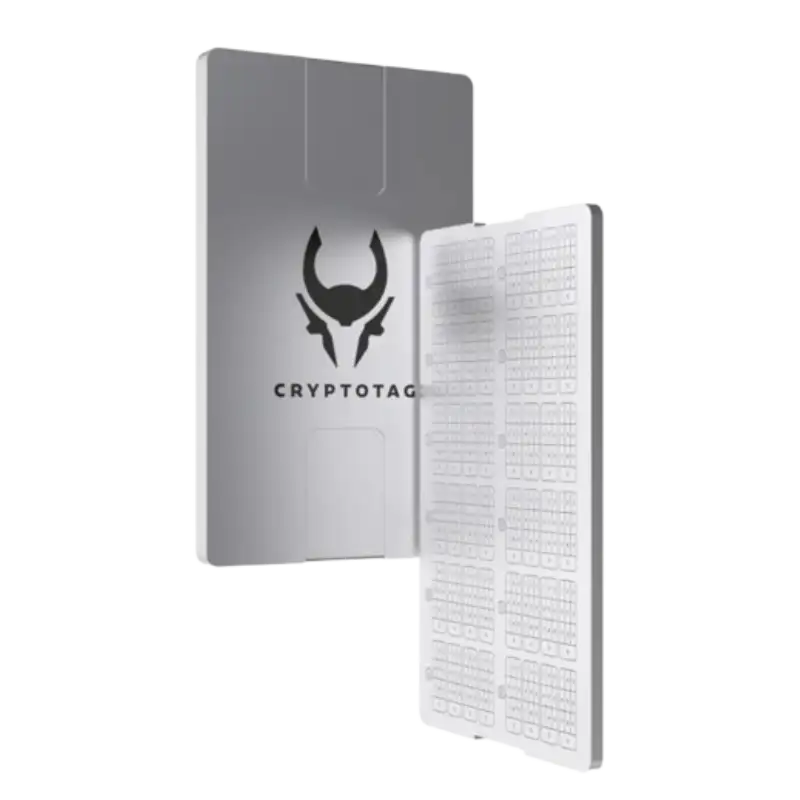
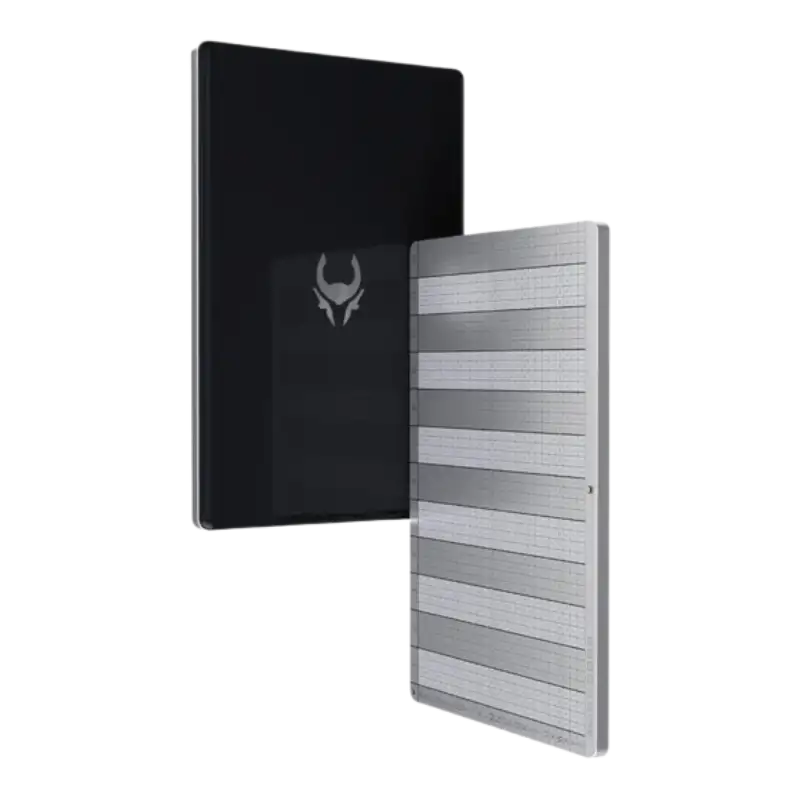
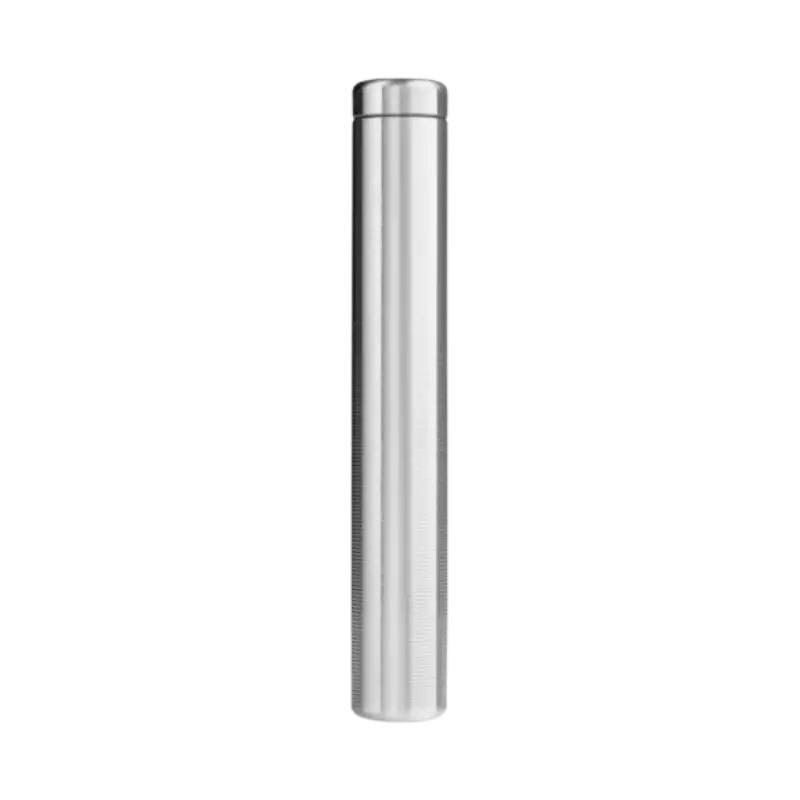
For long-term holders, Safe 7 pairs naturally with metal backup tools like Trezor Keep Metal, Cryptotag Zeus, Cryptosteel Capsule Solo, or The Billfodl. A premium hardware wallet protects access, but the backup protects recovery. Both matter.
The Safe 7’s backup system is strong because it gives users choice. Beginners can keep recovery simple. Serious holders can build a more resilient backup plan.
Pricing and Value
The Trezor Safe 7 is priced at USD 249, making it the most expensive wallet in Trezor’s current lineup. That places it well above the Trezor Safe 3 at USD 59 and the Trezor Safe 5 at USD 129.
At this price, Safe 7 is not competing on affordability. It is competing on premium experience. You are paying for the aluminum build, larger touchscreen, Bluetooth, full iOS and Android support, wireless charging, LiFePO₄ battery, TROPIC01, dual secure-element architecture, and quantum-ready security direction.
| Buyer Situation | Better Pick |
|---|---|
| You want the cheapest current Trezor wallet | Trezor Safe 3 |
| You want touchscreen comfort at a lower price | Trezor Safe 5 |
| You want premium Trezor hardware | Trezor Safe 7 |
| You want full iPhone support | Trezor Safe 7 |
| You want Bluetooth inside Trezor’s ecosystem | Trezor Safe 7 |
| You want Ledger’s mobile workflow | Ledger Nano X |
| You only hold small amounts | Safe 3 may be enough |
| You want long-term premium self-custody | Safe 7 makes sense |
For casual investors, Safe 7 may feel expensive. If you only want to move crypto off exchanges and hold it safely, Safe 3 already covers the basics. If you want touchscreen comfort but do not need Bluetooth or iOS-first use, Safe 5 is the better value.
Safe 7 becomes worth it when the hardware-wallet experience matters. If you use your wallet regularly, rely on mobile, want premium durability, or simply want Trezor’s most advanced security direction, the price is easier to justify.
The hidden cost is still backup protection. If you are buying a USD 249 wallet to protect serious crypto holdings, adding a metal backup solution is not overkill. It is part of the real security setup.
Competition Analysis
The Trezor Safe 7 competes with two groups of wallets: Trezor’s own cheaper devices and Ledger’s premium/mobile-focused devices. Its biggest challenge is not whether it is powerful. It is whether users actually need everything it offers.
Inside Trezor’s lineup, the decision is straightforward. Safe 3 is the budget choice. Safe 5 is the comfort choice. Safe 7 is the premium wireless choice. The price jumps are clear: USD 59, USD 129, and USD 249.
| Wallet | Price | Key Strengths | Limitations | Best For |
|---|---|---|---|---|
| Trezor Safe 3 | USD 59 | Low price, Secure Element, Multi-share Backup | No touchscreen | Beginners and budget holders |
| Trezor Safe 5 | USD 129 | Touchscreen, haptics, strong value | No Bluetooth, limited iOS | Users who want comfort |
| Trezor Safe 7 | USD 249 | Bluetooth, aluminum body, full iOS/Android, TROPIC01 | Expensive | Premium and mobile-first Trezor users |
| Ledger Nano X | Check current price | Bluetooth, mobile convenience, Ledger Live | Smaller screen, different trust model | Mobile-first Ledger users |
| Ledger Stax | Check current price | Premium e-ink touchscreen design | Expensive, not necessary for most | Design-focused Ledger users |
Against Ledger, Safe 7 is the first Trezor wallet that can seriously challenge the Ledger Nano X on mobile convenience. Earlier Trezor models were stronger for desktop users but weaker for iPhone-first users. Safe 7 changes that with Bluetooth and full mobile support.
Against Ledger Stax, the comparison is more about premium philosophy. Ledger Stax focuses heavily on design and e-ink display appeal. Safe 7 focuses more on Trezor’s open-source security, TROPIC01, and quantum-ready architecture.
For most buyers, the real decision is Safe 5 vs Safe 7. If you want a touchscreen and mostly use desktop, Safe 5 is enough. If you want wireless, full mobile support, better build, and the newest Trezor security direction, Safe 7 is the one to consider.
Who Should and Shouldn’t Buy Trezor Safe 7?
The Trezor Safe 7 is powerful, but it is not necessary for every crypto holder. Its value depends on whether you actually need premium build quality, wireless use, and stronger mobile support.
Who Should Buy Trezor Safe 7?
- Mobile-first users who want full iOS and Android support.
- Trezor users who want Bluetooth without switching to Ledger.
- Long-term holders with larger portfolios who want Trezor’s most advanced device.
- Users who want premium build quality instead of plastic hardware.
- Passphrase users who benefit from a larger touchscreen.
- DeFi and dApp users who want WalletConnect and third-party app flexibility.
- Security-focused buyers who want TROPIC01 and Trezor’s newest architecture.
- Users who want wireless charging and battery-powered convenience.
Who Shouldn’t Buy Trezor Safe 7?
- Budget buyers who can get enough protection from Safe 3.
- Users who only need basic cold storage and rarely touch their wallet.
- Desktop-only users who may find Safe 5 more cost-effective.
- Wired-only users who do not want Bluetooth.
- Small portfolio holders who may not need a USD 249 device.
- Ledger Live users who prefer Ledger’s ecosystem and workflow.
- Buyers who expect waterproof ruggedness, because IP54 is not full waterproofing.
In short, Safe 7 is for users who want the best Trezor wallet, not merely a Trezor wallet. If your needs are simple, buy Safe 3 or Safe 5. If your needs are premium, wireless, and mobile-heavy, Safe 7 makes much more sense.
Final Verdict: Buy the Trezor Safe 7 or Drop it?
The Trezor Safe 7 is the most complete Trezor wallet so far. It brings together premium build quality, a large touchscreen, Bluetooth, wireless charging, full iOS and Android support, TROPIC01, dual Secure Element architecture, and a more future-facing security model.
It is also expensive. At USD 249, it is not the best choice for every beginner or casual holder. The Trezor Safe 3 remains the better budget wallet, and the Trezor Safe 5 remains the better middle-ground option for users who want touchscreen comfort without paying for wireless premium features.
But for users who want Trezor’s best experience, Safe 7 is the wallet to look at. It finally gives Trezor a serious premium answer to mobile-first and high-end hardware wallet users.
Final call: Trezor Safe 7 is worth it if you want the most premium Trezor wallet, full mobile support, Bluetooth convenience, and Trezor’s newest security architecture. If you only need simple cold storage, Safe 3 or Safe 5 will be better value.
Moving crypto to a hardware wallet helps with custody, but it does not automatically organize your tax records. If you trade, swap, stake, use DeFi, or move funds across multiple wallets and exchanges, crypto tax software can help track those transactions before tax season.
Moving crypto to a hardware wallet helps with custody, but it does not automatically organize your tax records. If you trade, transfer between wallets, or use multiple exchanges, crypto tax software can help track those transactions before tax season.
Coinpanda

Coin Ledger

Koinly

Frequently Asked Questions [FAQs]
Yes, Trezor Safe 7 is worth it if you want Trezor’s premium wallet with Bluetooth, full iOS and Android support, wireless charging, a larger touchscreen, and advanced security architecture. For basic cold storage, Safe 3 or Safe 5 may be better value.
The Trezor Safe 7 costs USD 249.
Yes. Trezor Safe 7 supports Bluetooth connectivity with secure pairing for Bluetooth 5.0+ devices.
Yes. Trezor Safe 7 has full iOS support through Bluetooth, while other Trezor models have limited iOS compatibility.
TROPIC01 is Trezor’s independently auditable secure element used in Safe 7. It works alongside another EAL6+ secure element and a hardened MCU as part of Safe 7’s three-layer hardware security design.
Yes, Trezor describes Safe 7 as quantum-ready because its boot process, firmware updates, and device authentication use post-quantum cryptography. This does not mean blockchains themselves are already quantum-safe.
Yes. Trezor Safe 7 supports Qi2-compatible wireless charging.
No. Safe 7 has IP54-rated protection against dust and water spray, but it is not built for full submersion.
Safe 7 is better for mobile users, with premium build quality, Bluetooth, wireless charging, and advanced security architecture. Safe 5 is better value if you only need touchscreen comfort.
Yes, it is still recommended for long-term holders. A premium wallet protects access, but a metal backup protects recovery if your written backup is damaged or destroyed.
Did we help you out? Show us some support:
Ethereum Address
0xE7D047f1FA287f4ad298864535a62E45E789b445
Bitcoin Address
bc1q84w4qvaz5a2wne9xlf799s8we4q64a2yrttet8
Solana Address

52wokPhAncfZwGtTCHMycXGKKKAPENBw5yFTMewmpHQz


